

Introduction to Orchestration
Orchestration is SubVerse AI’s Agent Orchestration Engine — a visual, low-code platform for building and running automated workflows that combine AI agents with business integrations.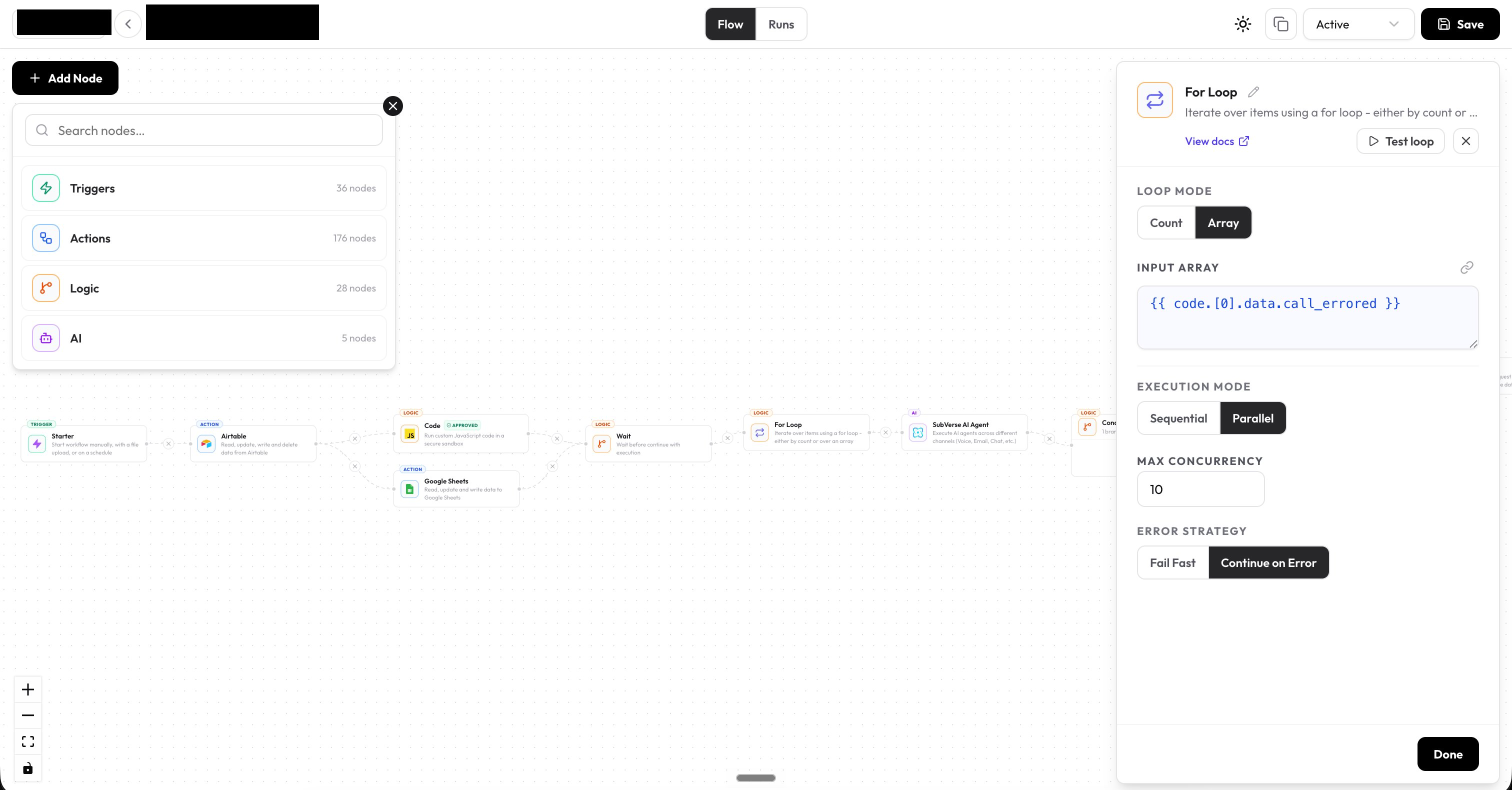
What is Orchestration?
Orchestration lets you design orchestrations — directed graphs of nodes that execute in sequence or in parallel. Each node represents a discrete unit of work: calling an API, running an AI model, applying conditional logic, or waiting for a human decision. Orchestrations are triggered by events (webhooks, schedules, incoming messages) and can route data through AI agents, third-party services, and control-flow logic before delivering a result.Core Concepts
Node Categories
Orchestration nodes are organised into four categories:Triggers
Start an orchestration in response to an event — webhook, schedule, Slack, WhatsApp, Shopify, and more
Actions
Interact with external services — send messages, write records, make HTTP calls, upload files
Logic & Flow
Control execution — branch with conditions, loop over arrays, pause and wait, require human approval
AI & Agents
Run AI — call any LLM provider or execute full SubVerse AI agent conversations
Key Features
- Visual canvas — drag-and-drop orchestration builder with real-time previews
- Any LLM — connect AI Agent nodes to OpenAI, Anthropic, Google, or any OpenAI-compatible endpoint
- Dynamic inputs — reference upstream node outputs anywhere using
{{ nodeName.field }}expressions - Human-in-the-loop — pause orchestrations for human approval via Slack or email
- Robust execution engine — built for reliability with fault tolerance and retry support
- Multi-channel AI agents — run SubVerse AI agents over voice, WhatsApp, email, and chat
- Fine-grained monitoring — inspect every orchestration run, node output, and error in detail
How Orchestrations Work
Next Steps
Quickstart
Build your first orchestration in 10 minutes
Node Types
Understand all node categories in detail
Monitoring
Track and debug orchestration runs