Airtable
The Airtable node lets you read and write data in Airtable bases — create, retrieve, update, and delete records, or list bases and tables.
Credentials
Two credential types are supported:| Type | Description |
|---|---|
| Airtable Personal Access Token | Token-based authentication using an Airtable API key |
| Airtable OAuth2 | Platform-managed OAuth2 — sign in with your Airtable account |
- Go to Settings → Credentials → New Credential
- Select the desired Airtable credential type
- Complete the authentication flow
Operations
Record
| Operation | Description |
|---|---|
Create | Add a new record to a table |
Get | Retrieve a single record by ID |
Get Many | Retrieve multiple records with optional filters and sorting |
Update | Update fields on an existing record |
Upsert | Create a record if it doesn’t exist, update it if it does |
Delete | Delete a record by ID |
Base
| Operation | Description |
|---|---|
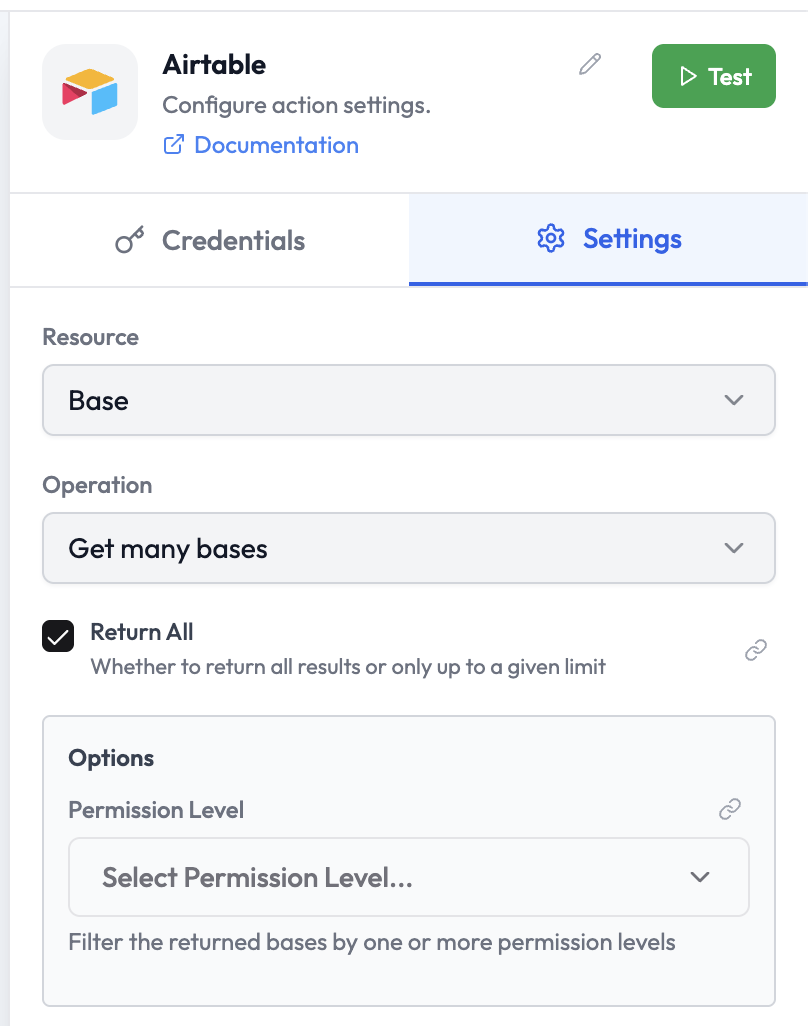
Get Many | List all bases accessible to the credential, with optional permission-level filtering |
Get Schema | Retrieve the schema (tables and fields) of a base |
Parameters: Create Record
| Parameter | Type | Required | Description |
|---|---|---|---|
| Base | Resource Locator | Yes | The Airtable base to write to |
| Table | Resource Locator | Yes | The table to create a record in |
| Fields | Key-Value | Yes | The field names and values for the new record |
| Type Cast | Boolean | No | Automatically cast field values to the correct type |
Parameters: Get Many Bases
| Parameter | Type | Required | Description |
|---|---|---|---|
| Return All | Boolean | No | When enabled, returns all bases instead of up to a limit |
| Options — Permission Level | Select | No | Filter returned bases by permission level |
Parameters: Get Many Records
| Parameter | Type | Required | Description |
|---|---|---|---|
| Base | Resource Locator | Yes | The Airtable base to read from |
| Table | Resource Locator | Yes | The table to read records from |
| Filter by Formula | String | No | Airtable formula to filter records (e.g. {Status} = 'Active') |
| Sort | Collection | No | Sort by one or more fields |
| Max Records | Number | No | Maximum number of records to return |
| Fields | Multi-Select | No | Return only these specific fields |
| View | String | No | Limit results to a specific view |
Output Data
A single record returned fromGet or Create:
Filter Formula Examples
| Formula | Description |
|---|---|
{Status} = 'Active' | Records where Status equals “Active” |
{Revenue} > 100000 | Records where Revenue is greater than 100,000 |
AND({Status} = 'Active', {Region} = 'US') | Active records in the US |
NOT({Email} = '') | Records with a non-empty email |
Related Nodes
- Airtable Trigger — Trigger an orchestration on Airtable record events
- For Loop — Iterate over a list of retrieved records