
Human in the Loop

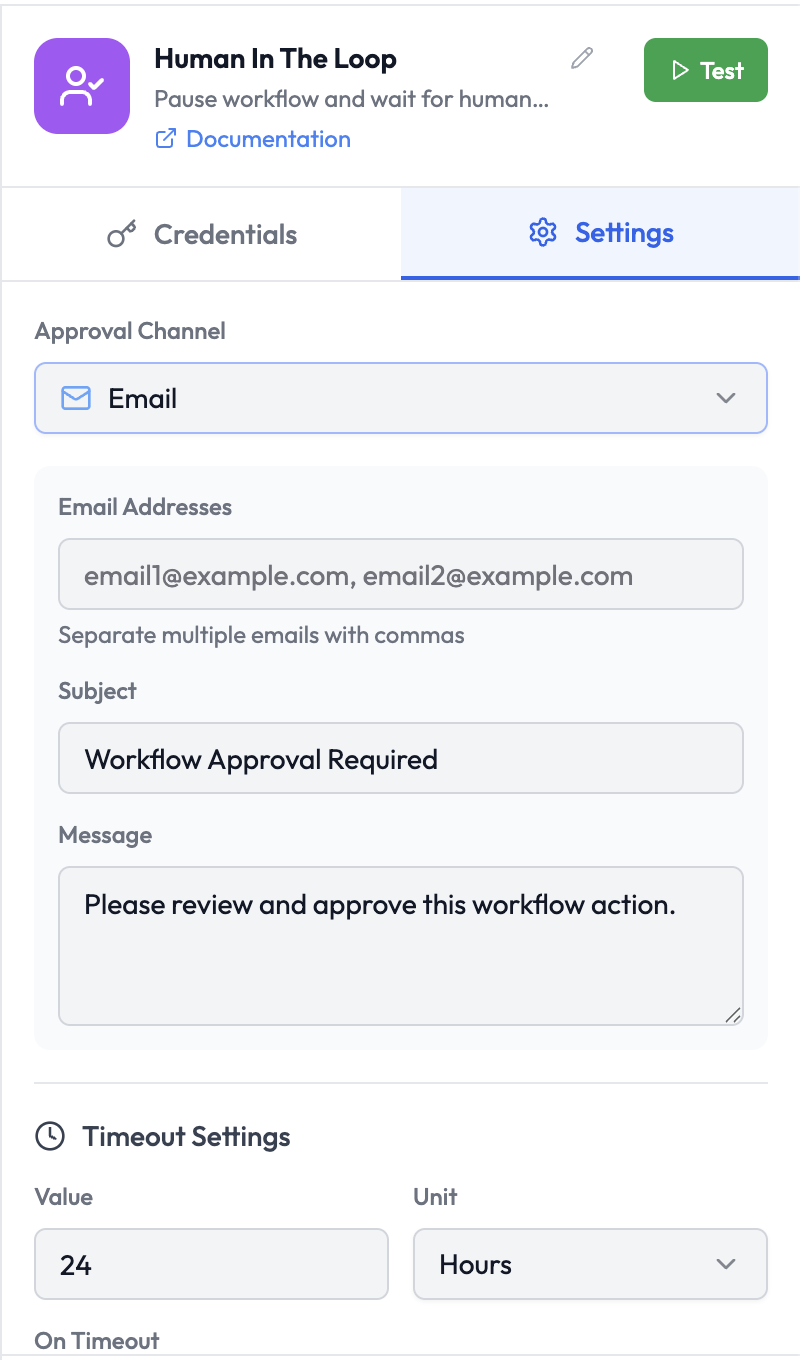
The Human in the Loop node pauses an orchestration run and sends an approval request to a human via Slack or email. Execution resumes only after the reviewer approves or rejects the request — or after a configured timeout. Human In The Loop Node
Use Cases

  • Require manager approval before processing a large transaction
  • Route AI-generated content for human review before publishing
  • Create an approval step in a multi-stage data pipeline
  • Escalate flagged support tickets to a human agent

Node Reference

Parameters

ParameterTypeRequiredDescription
Approval ChannelSelectYesHow to send the approval request: Slack or Email

Email Channel Parameters

ParameterTypeRequiredDescription
Email AddressesStringYesOne or more approver email addresses, separated by commas
SubjectStringNoEmail subject line (default: Workflow Approval Required)
MessageStringNoBody message for the approval email (default: Please review and approve this workflow action.)

Slack Channel Parameters

ParameterTypeRequiredDescription
Slack CredentialCredentialYesSelect or create a Slack OAuth2 credential
Send ToSelectYesChannel or User
Slack ChannelStringConditionalChannel name or ID (required when Send To is Channel)
Slack UserStringConditionalUser ID or email (required when Send To is User)
MessageStringNoCustom message to include in the approval request

Timeout Settings

ParameterTypeRequiredDescription
ValueNumberYesHow long to wait for a response before timing out (default: 24)
UnitSelectYesUnit for the timeout: Minutes, Hours, Days (default: Hours)
On TimeoutSelectYesWhat to do if no response is received: Approve or Reject

How It Works

  1. The node sends an approval request to the configured channel (Slack or email).
  2. The request includes Approve and Reject action buttons.
  3. The orchestration run is paused and waits for a response.
  4. When the approver clicks Approve or Reject, execution resumes on the corresponding branch.
  5. If no response arrives within the timeout window, the Default Action is applied.

Output Branches

The node has two output branches:
BranchCondition
ApprovedThe approver clicked Approve, or timed out with Default Action = Approve
RejectedThe approver clicked Reject, or timed out with Default Action = Reject
Connect different downstream nodes to each branch to handle both outcomes.

Output Data

The output includes the original upstream data plus the reviewer’s decision:
{
  "decision": "approved",
  "reviewer": "[email protected]",
  "reviewedAt": "2025-03-10T09:15:00.000Z",
  "comment": "Looks good, proceed."
}
Reference in downstream nodes:
{{ humanInTheLoop.decision }}
{{ humanInTheLoop.reviewer }}
{{ humanInTheLoop.comment }}

  • Wait — A lower-level pause node for custom webhook-based resume flows
  • Conditions — Branch based on the approval outcome
  • Slack — Send a follow-up Slack message after the decision