

Manual Trigger (Starter)
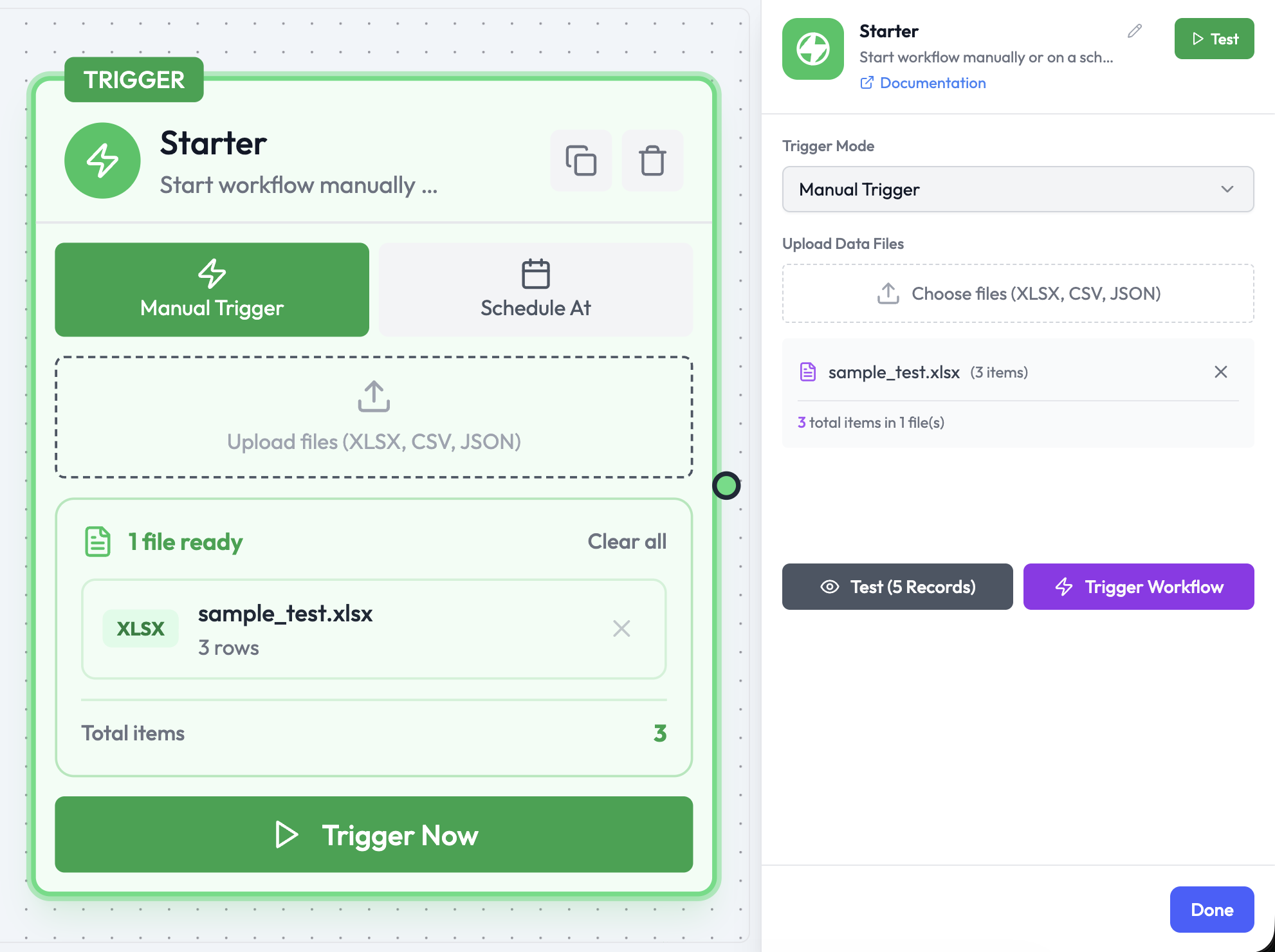
The Starter node is Orchestration’s combined manual and scheduled trigger. In Manual Trigger mode it starts an orchestration immediately when you click Trigger Now from the canvas — used for testing, on-demand tasks, and orchestrations that do not need to respond to an event.The same Starter node also supports Schedule At mode. See Schedule Trigger.
Use Cases
- Test an orchestration during development
- Run one-off data processing tasks on demand
- Trigger workflows that take user-uploaded files as input
Node Reference
Parameters
There are no required parameters. Click Trigger Now on the node canvas to execute immediately, or use Test (N Records) to run with a preview of your uploaded data.
How It Works
When you click Trigger Now on the Starter node:- Orchestration creates a new Orchestration Run immediately.
- Any uploaded files (XLSX, CSV, JSON) are parsed and injected as the trigger output.
- Execution proceeds through all downstream nodes.
- The run result appears in the Orchestration Runs panel in real time.
Output Data
When no files are uploaded, the output is a minimal execution context:Testing vs. Production
Related Nodes
- Schedule Trigger — Run automatically on a time-based schedule
- Webhook Trigger — Trigger from an external HTTP event