Shopify Trigger

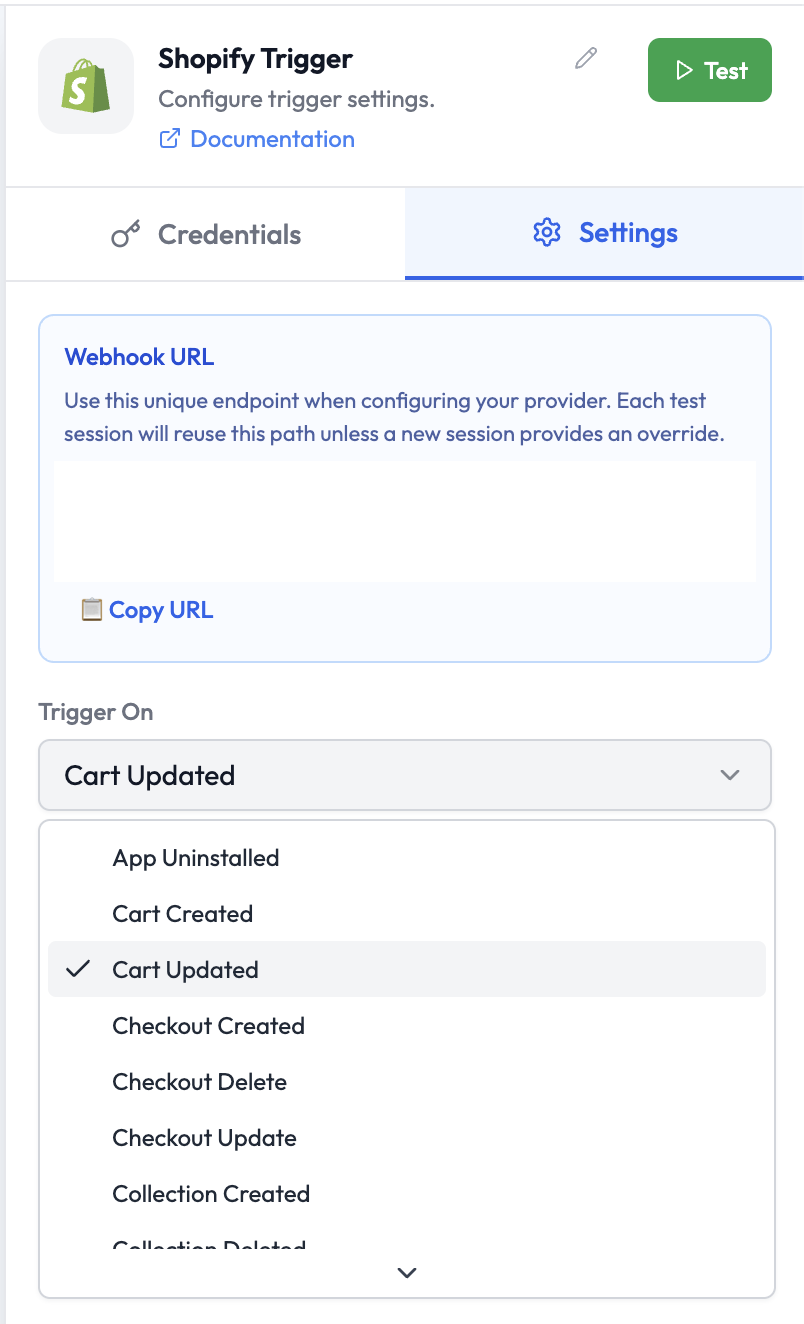
The Shopify Trigger starts an orchestration when a specified event occurs in your Shopify store — such as an order being created, a cart updated, or a product changed. Shopify Trigger Node

Use Cases

  • Trigger an order fulfillment workflow when a new order is placed
  • Notify a Slack channel when a customer abandons their cart
  • Sync product changes to an external system when a product is updated
  • Run post-purchase AI workflows when checkout completes

Credentials

This node requires a Shopify credential. To create a credential:
  1. Go to Settings → Credentials → New Credential
  2. Select Shopify
  3. Enter your Shopify store URL and API access token

Node Reference

Parameters

ParameterTypeDescription
CredentialCredentialSelect or create a Shopify credential
Trigger OnSelectThe Shopify event that starts the orchestration (see below)

Webhook URL

The Shopify Trigger displays a unique Webhook URL in the node panel. Register this URL in your Shopify app’s Webhooks settings (Admin → Settings → Notifications → Webhooks).

Event Types

EventDescription
App UninstalledThe Shopify app is uninstalled from the store
Cart CreatedA new shopping cart is created
Cart UpdatedItems in a cart are added, removed, or changed
Checkout CreatedA checkout session is initiated
Checkout DeleteA checkout session is deleted
Checkout UpdateA checkout session is updated
Collection CreatedA new product collection is created
Collection DeletedA product collection is deleted
Collection UpdatedA product collection is updated
Customer CreatedA new customer account is created
Customer DeletedA customer account is deleted
Customer UpdatedA customer account is updated
Draft Order CreatedA new draft order is created
Draft Order DeletedA draft order is deleted
Draft Order UpdatedA draft order is updated
Fulfillment CreatedAn order fulfillment is created
Fulfillment UpdatedAn order fulfillment status changes
Order CancelledAn order is cancelled
Order CreatedA new order is placed
Order FulfilledAn order is fully fulfilled
Order PaidAn order payment is confirmed
Order UpdatedAn order is updated
Product CreatedA new product is created
Product DeletedA product is deleted
Product UpdatedA product is updated
Refund CreatedA refund is issued on an order

Output Data

The trigger outputs the full Shopify webhook payload for the event. For an Order Created event:
{
  "id": 5678901234,
  "name": "#1001",
  "email": "[email protected]",
  "total_price": "99.00",
  "currency": "USD",
  "financial_status": "paid",
  "line_items": [
    {
      "title": "Blue T-Shirt",
      "quantity": 2,
      "price": "49.50"
    }
  ],
  "created_at": "2025-03-10T09:00:00-05:00"
}
Reference fields in downstream nodes:
{{ shopifyTrigger.name }}
{{ shopifyTrigger.email }}
{{ shopifyTrigger.total_price }}
{{ shopifyTrigger.line_items[0].title }}

  • Shopify — Read and update Shopify data within an orchestration
  • Slack — Send a notification when an order event occurs
  • AI Agent — Process order data with an LLM