Slack
The Slack node lets you interact with Slack from within an orchestration — send messages, manage channels, look up users, upload files, and more.
Credentials
This node requires a Slack OAuth2 credential. To create a credential:- Go to Settings → Credentials → New Credential
- Select Slack OAuth2
- Authenticate with your Slack workspace
Operations
Message
| Operation | Description |
|---|---|
Send | Post a message to a channel or user |
Update | Edit an existing message |
Delete | Delete a message |
Get Permalink | Get a permanent link to a message |
Search | Search messages in a workspace |
Reply | Reply to a message in a thread |
Channel
| Operation | Description |
|---|---|
Archive | Archive a channel |
Close | Close a direct message channel |
Create | Create a new public or private channel |
Get | Retrieve details of a channel |
Get Many | List multiple channels |
History | Retrieve messages from a channel’s history |
Invite | Invite a user to a channel |
Join | Join a channel |
Kick | Remove a user from a channel |
Leave | Leave a channel |
Member | List members of a channel |
Open | Open a direct message channel |
Rename | Rename a channel |
Set Purpose | Set the purpose (description) of a channel |
Set Topic | Set the topic of a channel |
Unarchive | Unarchive a channel |
User
| Operation | Description |
|---|---|
Get | Get a user’s profile by ID or email |
Get Many | List users in a workspace |
Get Status | Get a user’s current status |
Update Profile | Update a user’s profile fields |
File
| Operation | Description |
|---|---|
Get | Get file metadata |
Get Many | List files in a workspace |
Upload | Upload a file to a channel |
Delete | Delete a file |
Reaction
| Operation | Description |
|---|---|
Add | Add a reaction emoji to a message |
Get | Get reactions on a message |
Remove | Remove a reaction from a message |
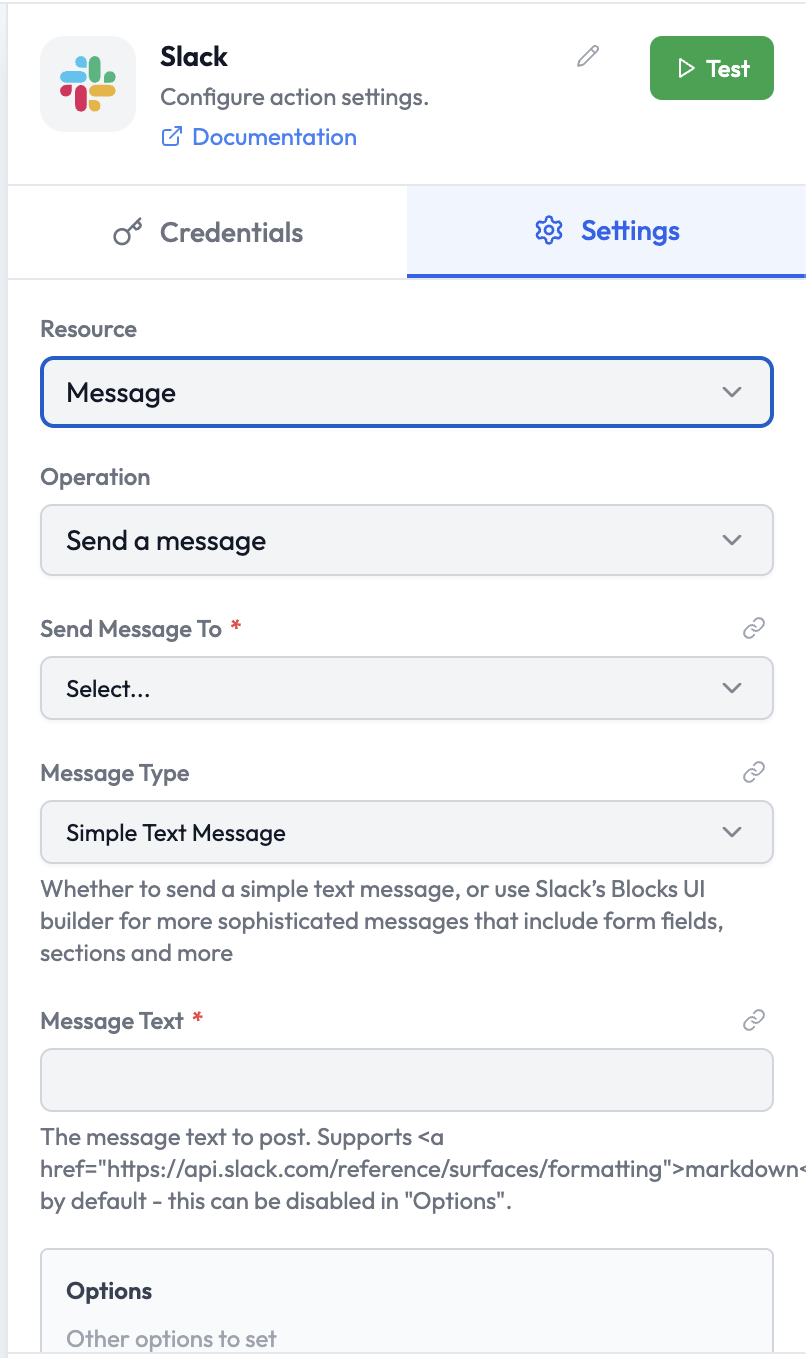
Parameters: Send a Message
| Parameter | Type | Required | Description |
|---|---|---|---|
| Send Message To | Select | Yes | The destination: a channel or a user |
| Message Type | Select | Yes | Simple Text Message — plain text with markdown support; or Blocks — use Slack’s Block Kit UI builder for rich messages with form fields, sections, and more |
| Message Text | String | Yes | The message text to post. Supports Slack markdown. |
| Options | Collection | No | Additional options (thread reply, username override, icon emoji, etc.) |
Output Data
A successfulSend Message operation returns:
Related Nodes
- Slack Trigger — Trigger an orchestration from a Slack event
- AI Agent — Generate message content with an LLM before sending