WhatsApp Business Cloud

The WhatsApp Business Cloud node lets you send messages, share media, and manage contacts via the WhatsApp Business API from within an orchestration. WhatsApp Business Cloud Node

Credentials

This node requires a WhatsApp credential. To create a credential:
  1. Go to Settings → Credentials → New Credential
  2. Select WhatsApp
  3. Enter your WhatsApp Business API access token and phone number ID

Operations

Message

OperationDescription
Send TextSend a plain text message to a phone number
Send TemplateSend an approved WhatsApp message template
Send MediaSend an image, video, audio, or document
Send LocationSend a location pin
Send ReactionReact to a message with an emoji
Mark as ReadMark an incoming message as read

Contact

OperationDescription
GetRetrieve contact information

Parameters: Send Text

ParameterTypeRequiredDescription
CredentialCredentialYesSelect or create a WhatsApp credential
ToStringYesRecipient phone number in E.164 format (e.g. +919876543210)
MessageStringYesThe text message to send
Preview URLBooleanNoEnable URL link previews in the message

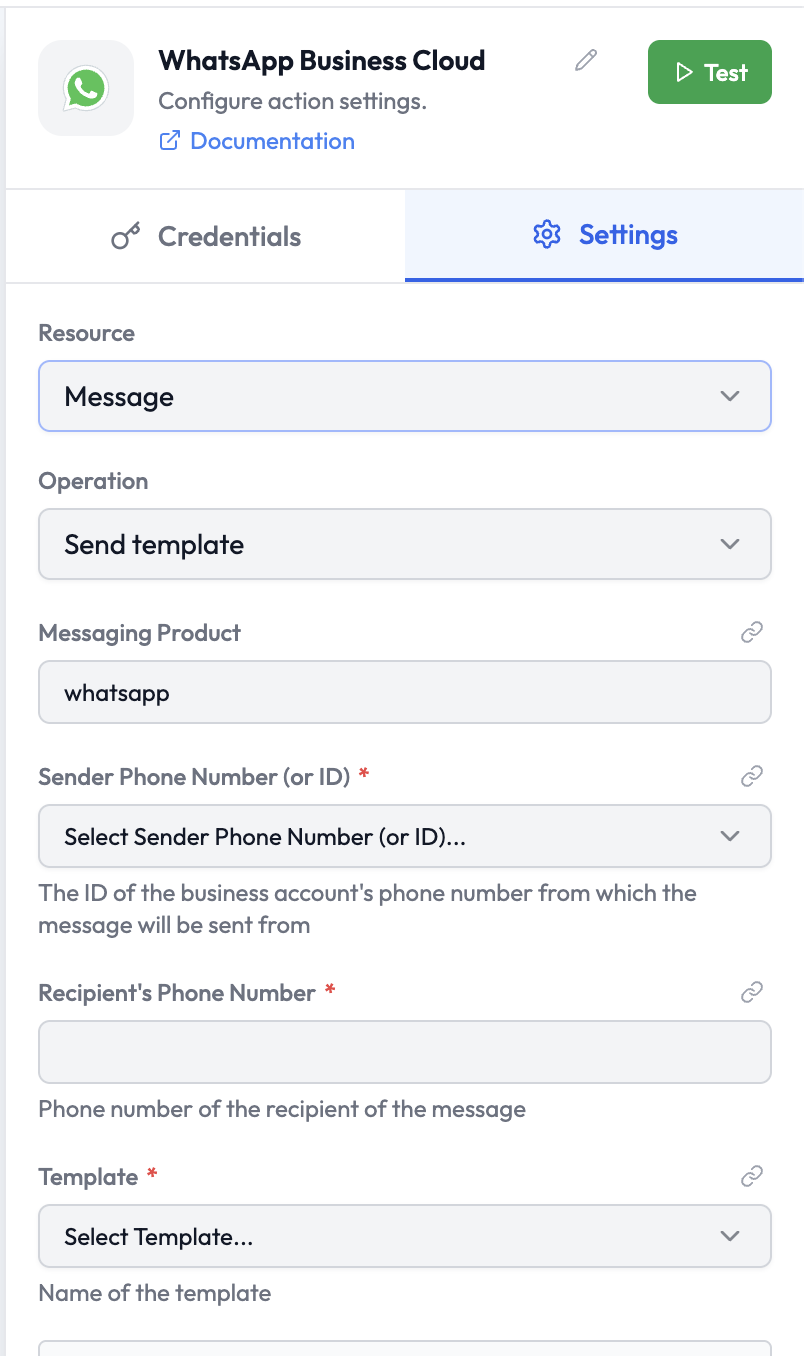
Parameters: Send Template

ParameterTypeRequiredDescription
Messaging ProductStringYesAlways whatsapp
Sender Phone Number (or ID)SelectYesThe WhatsApp Business account phone number or ID the message is sent from
Recipient’s Phone NumberStringYesThe recipient’s phone number
TemplateSelectYesThe approved message template to send (select from list)
Language CodeStringYesTemplate language (e.g. en_US)
ComponentsCollectionNoTemplate variable substitutions (header, body, buttons)

Parameters: Send Media

ParameterTypeRequiredDescription
ToStringYesRecipient phone number
Media TypeSelectYesImage, Video, Audio, Document, Sticker
Media URLStringYesPublic URL of the media file
CaptionStringNoCaption text to include with the media
FilenameStringNoDisplay filename for documents

Output Data

A successful Send Text operation returns:
{
  "messaging_product": "whatsapp",
  "contacts": [
    {
      "input": "+919876543210",
      "wa_id": "919876543210"
    }
  ],
  "messages": [
    {
      "id": "wamid.XXXXXXXXXXXX"
    }
  ]
}
Reference in downstream nodes:
{{ whatsapp.messages[0].id }}
{{ whatsapp.contacts[0].wa_id }}