

Login / Sign Up
- Go to SubVerse Dashboard
- Sign up or log in with your credentials.
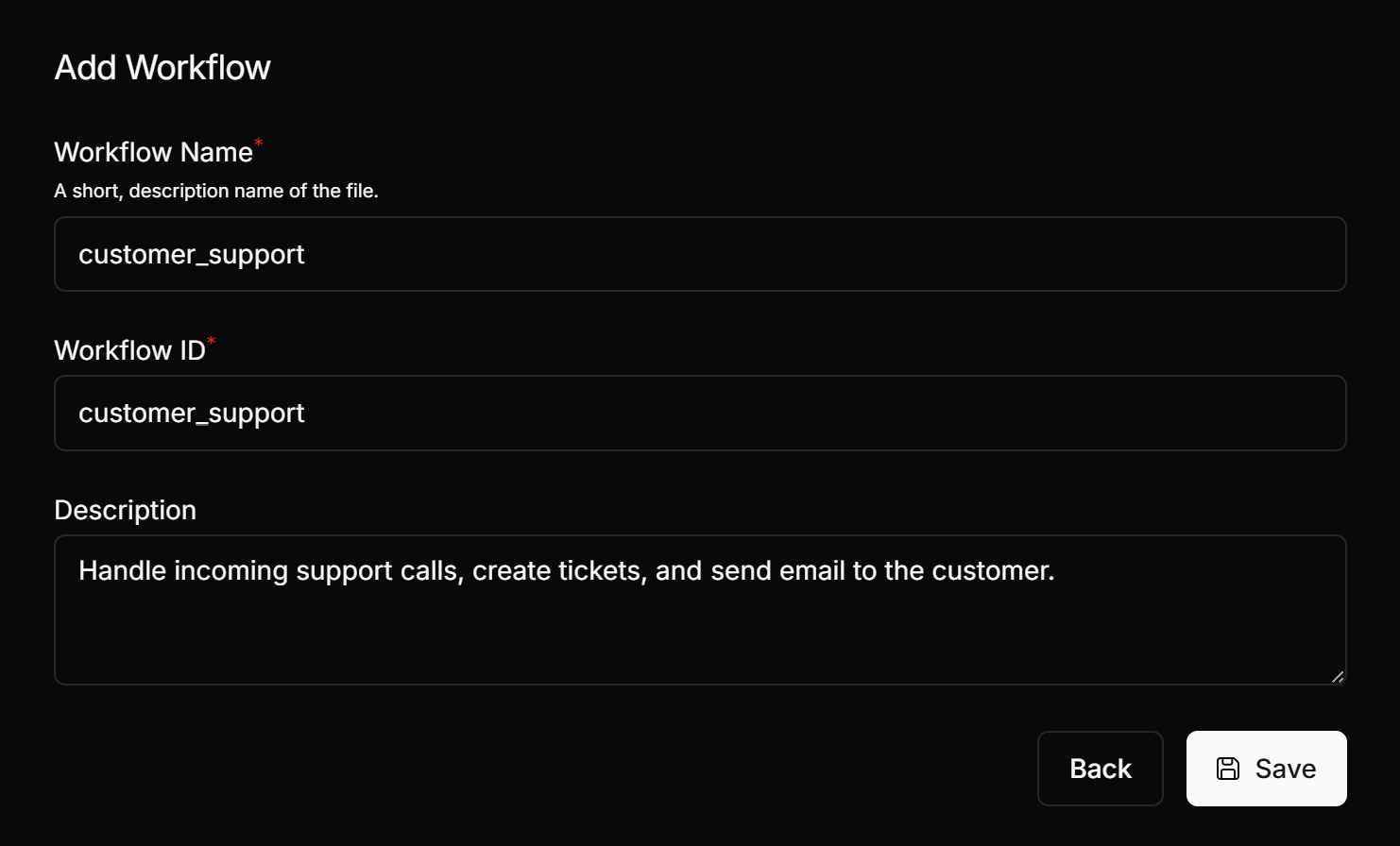
Create a New Workflow
- Navigate to the Workflow section.
- Click Create New Workflow and give it a meaningful name.
Edit & Define the Workflow
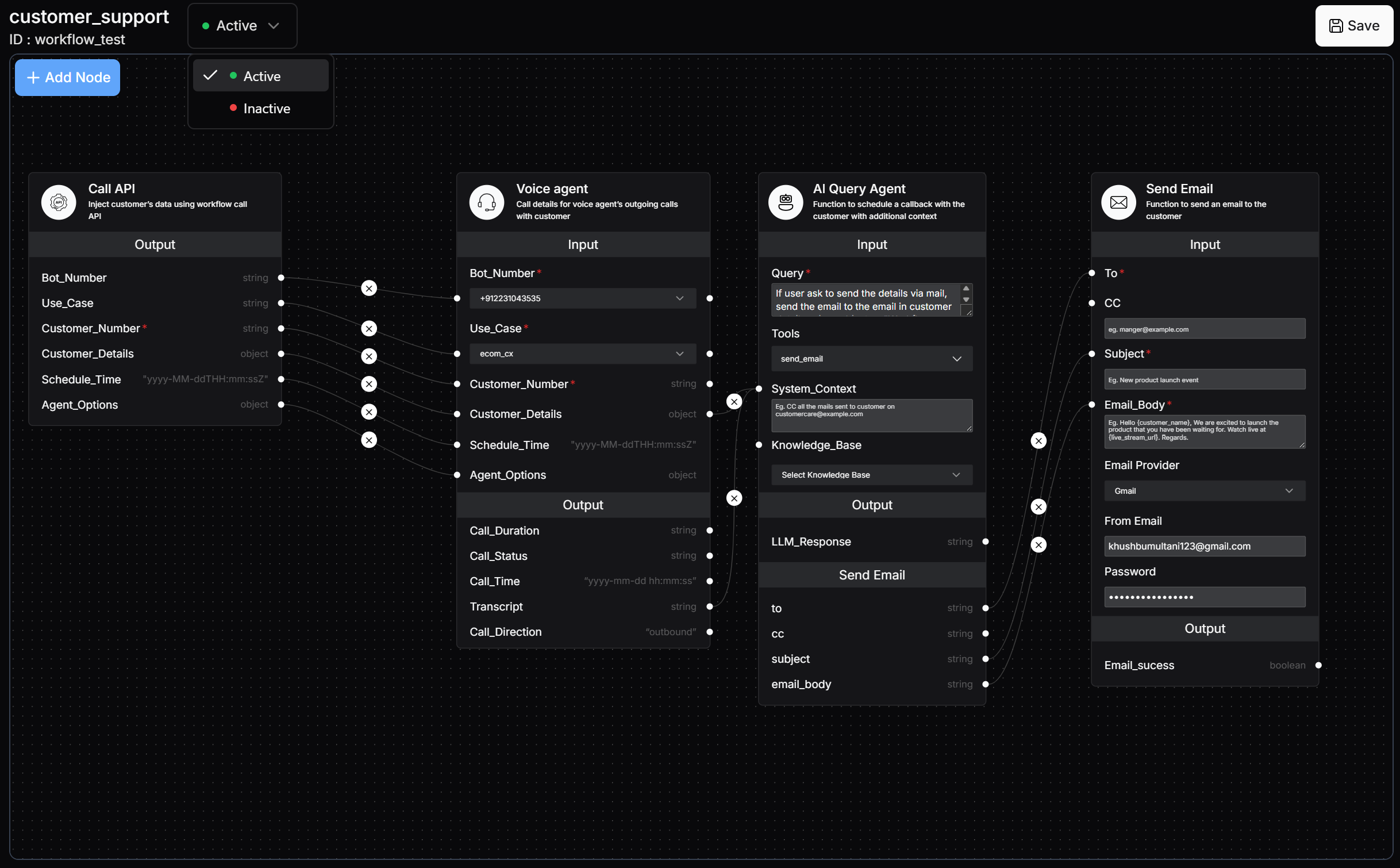
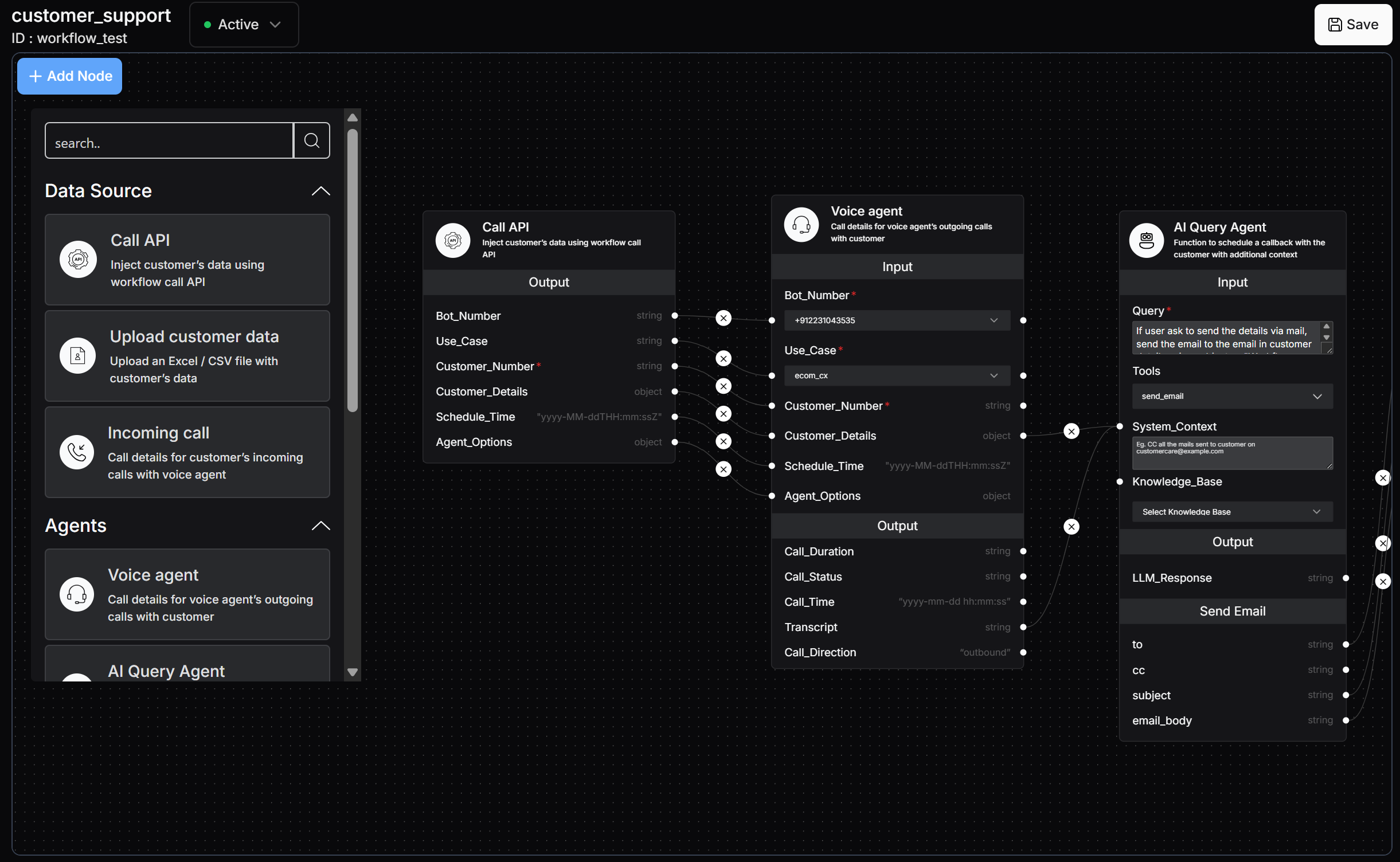
- Add data source blocks to push data from your databases and trigger points.
- Connect agent blocks to process this data using AI.
- Use function blocks to trigger external actions (e.g., sending emails, making API calls).
Activate the Workflow
- Once all blocks are configured, save & activate the workflow.
- The workflow will now run automatically based on predefined triggers.
Voice Agent
Build and test voice agent in just 5 minutes
Trigger Nodes
Start workflows with API calls, data uploads, or incoming calls
Agent Nodes
Make calls and process data with AI agents
Function Nodes
Perform actions like sending emails, WhatsApp messages, webhooks