

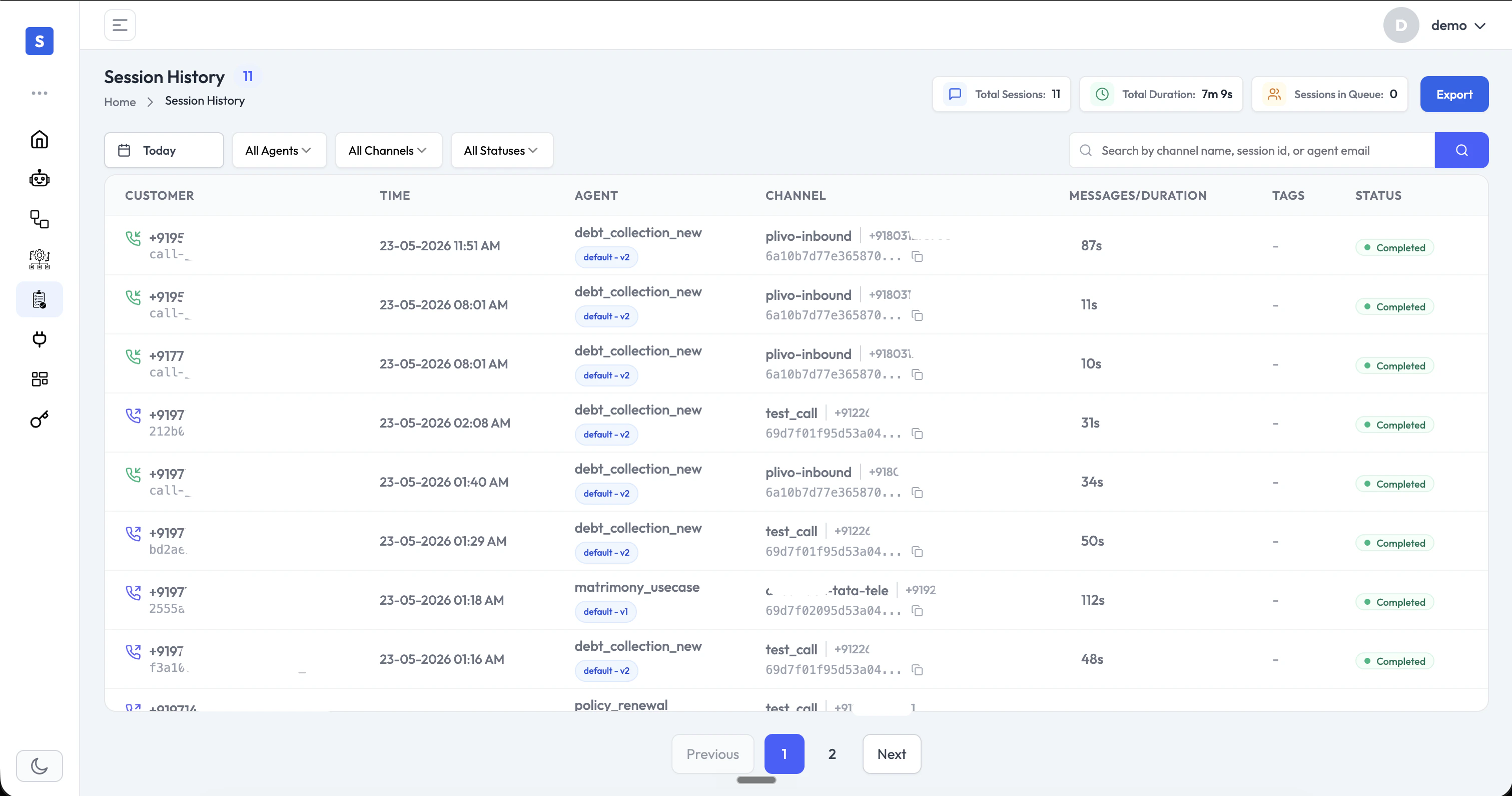
Session List
The session list displays key details for every interaction at a glance:- Customer: The customer’s phone number or identifier
- Time: When the session started
- Agent: The AI agent that handled the session
- Channel: The communication channel (e.g., Plivo voice, WhatsApp, webchat, email)
- Messages / Duration: Number of messages exchanged, or call duration for voice sessions
- Tags: Custom labels applied to the session
- Status: Session outcome (e.g., Completed, Active)
Search & Filter
- Search: Look up sessions by channel name, session ID, or agent email
- Filter by Agent: Narrow sessions to those handled by a specific agent
- Filter by Channel: View sessions from a specific channel type
- Filter by Status: Focus on completed, active, or other session states
- Date range: View sessions from a specific time period
- Export: Download session data for reporting or further analysis
Session Details
Click any session to open the full detail view, which shows the complete conversation transcript alongside session metadata and AI-generated insights.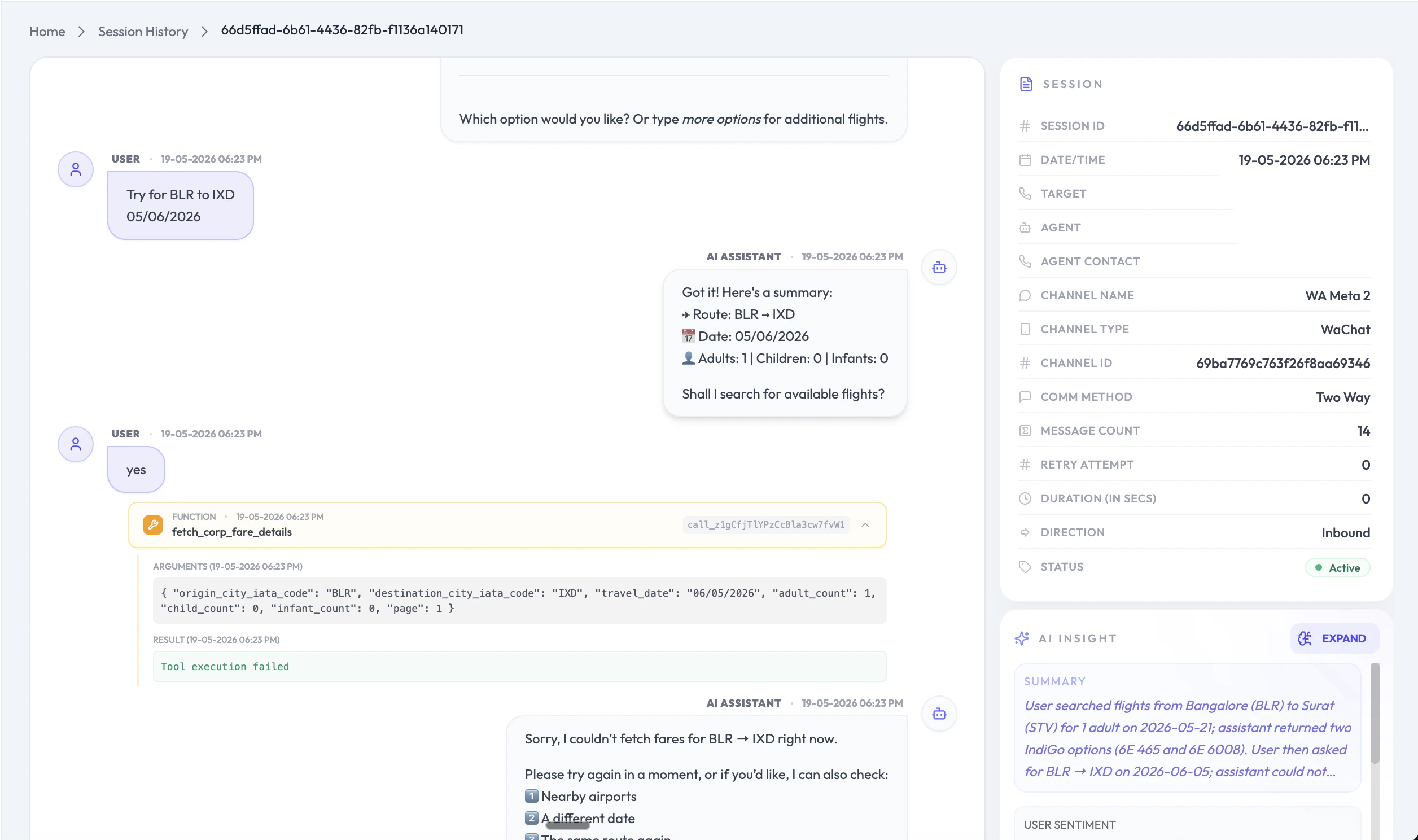
- Transcript: Full conversation history between the customer and the AI agent
- Function Calls: Every function (tool) the agent invoked during the session, including the exact arguments passed and the result returned — invaluable for debugging agent behavior and verifying integrations
- Session Metadata: Channel type, channel name, channel ID, communication method, message count, retry attempts, duration, direction (inbound/outbound), and status
- AI Insight: An AI-generated summary of the session capturing what the customer was trying to accomplish, how the agent responded, and user sentiment
Channels Supported
Session History covers all channels in a single unified view:- Voice: Inbound and outbound calls with duration and full transcripts
- Chat: WhatsApp, webchat, and other messaging channels
- Email: Email-based conversations with your agents