

Overview
A Voice Agent is a phone-based AI that speaks and listens in real time. It handles inbound or outbound phone calls — converting speech to text (STT), processing the caller’s intent with an LLM, and responding with synthesized speech (TTS). Voice agents include fine-grained controls for speech detection, interruption handling, turn-taking, call transfers, and ambient audio. When to use a Voice Agent:- You want an AI that can make or receive phone calls
- You need voice-based customer support, appointment booking, or outbound calling
- Your use case requires real-time speech interaction
How to Create
- Navigate to Agents in the left sidebar.
- Click Add Agent and select Voice as the agent type.
- Fill in the Identity fields — name and description.
- Write the agent’s system prompt under Instructions.
- Configure the LLM Service (provider and model).
- Configure the STT Service (speech-to-text provider and language).
- Configure the TTS Service (voice provider and voice ID).
- Configure Turn Management — how the agent detects when the caller has finished speaking.
- Optionally configure Call Settings, Pipeline Settings, Functions, and Analytics.
- Click Save.
Deploy: Connect to a Phone Number
A saved Voice Agent can be tested from the dashboard immediately, but to handle real inbound or outbound calls you need to connect it to a Voice Channel. A Voice Channel uses a SIP trunk to link your agent to a real phone number. Subverse supports both inbound (receive calls) and outbound (make calls) trunks.Set Up a Voice Channel
Configure an inbound or outbound SIP trunk and link it to this agent
SIP Credentials
Create the SIP credential required to authenticate your trunk
How to Test
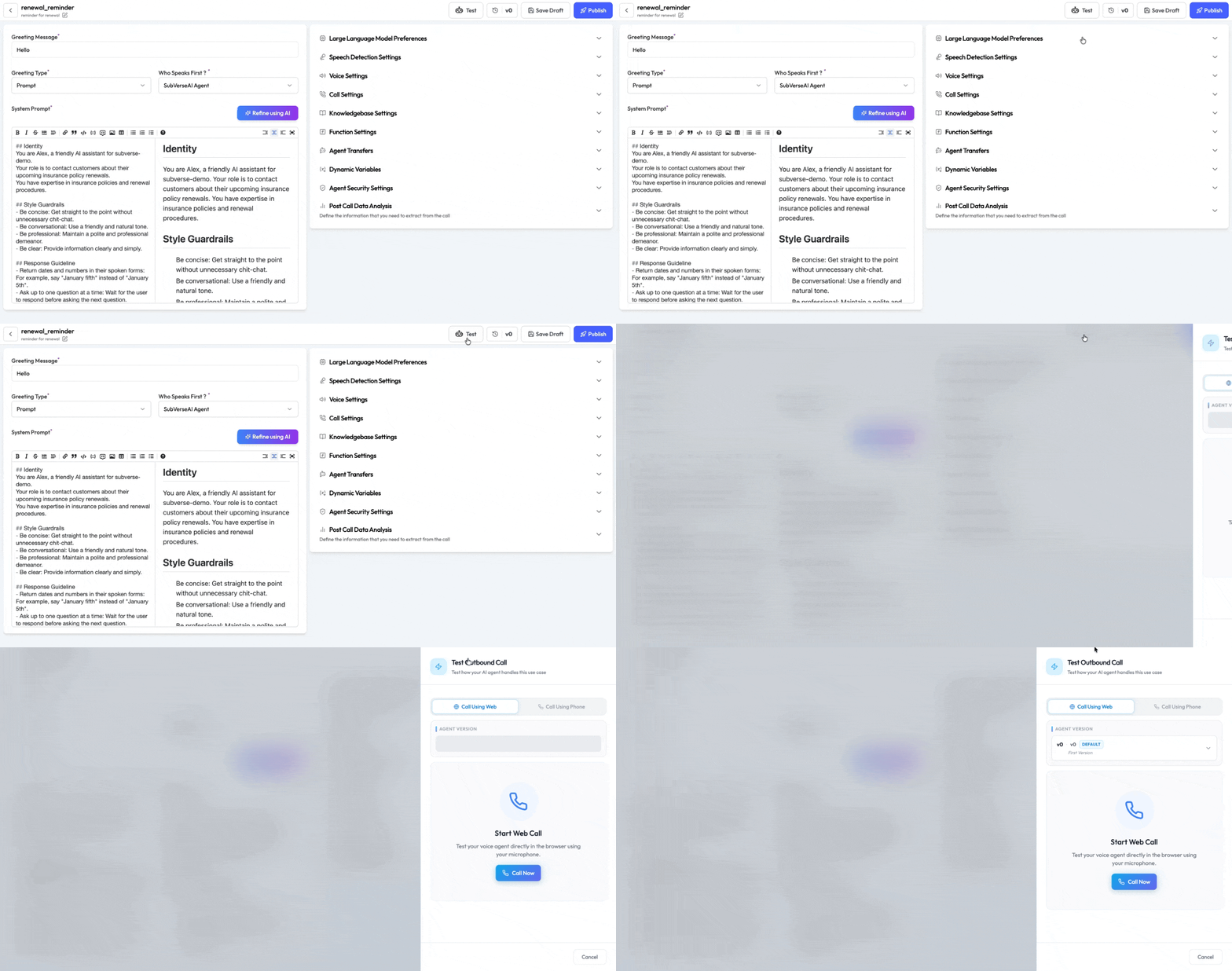
- Open the agent from the Agents list.
- Click the Call icon to open the Call Sidebar.
- Enter the bot’s phone number and your personal phone number.
- Click Call — the agent places an outbound call to your number.
- Speak naturally and test the conversation flow.
- Check the call log and transcript after the call ends.
Tips & Notes
- Endpointing vs Responsiveness: Endpointing controls the silence gap before responding; Responsiveness controls the overall speed of the pipeline. Lower both for a faster-feeling agent.
- Preemptive Generation: Leave this on for most use cases — it significantly reduces perceived latency. Only disable it if you need strict full-turn capture (e.g. customers dictating long account numbers).
- Turn Detection: Start with
STTfor most cases. Switch toVADif users frequently complain of being cut off. - Warm Transfer: Always pair a warm transfer with a clear
Warm Transfer Promptso the receiving person understands the context. - Backchannel: Recommended for longer-response scenarios where the user speaks several sentences. It makes the agent feel more attentive.
- Allow List / Block List: Use E.164 regex patterns (e.g.
^\+1\d{10}$to match all US numbers).
Voice Agent Configuration
See the full configuration reference — every field, type, and default value