

Overview
A Voice Channel connects your Voice Agent to real phone numbers using SIP trunks. Subverse gives you a unique SIP URI for your workspace — you configure your telephony provider to point calls to this URI, and Subverse routes them to the linked agent. Voice channels support two trunk types:- Inbound SIP Trunk — receives incoming calls and routes them to a Voice Agent
- Outbound SIP Trunk — provides a number the agent uses to make outgoing calls
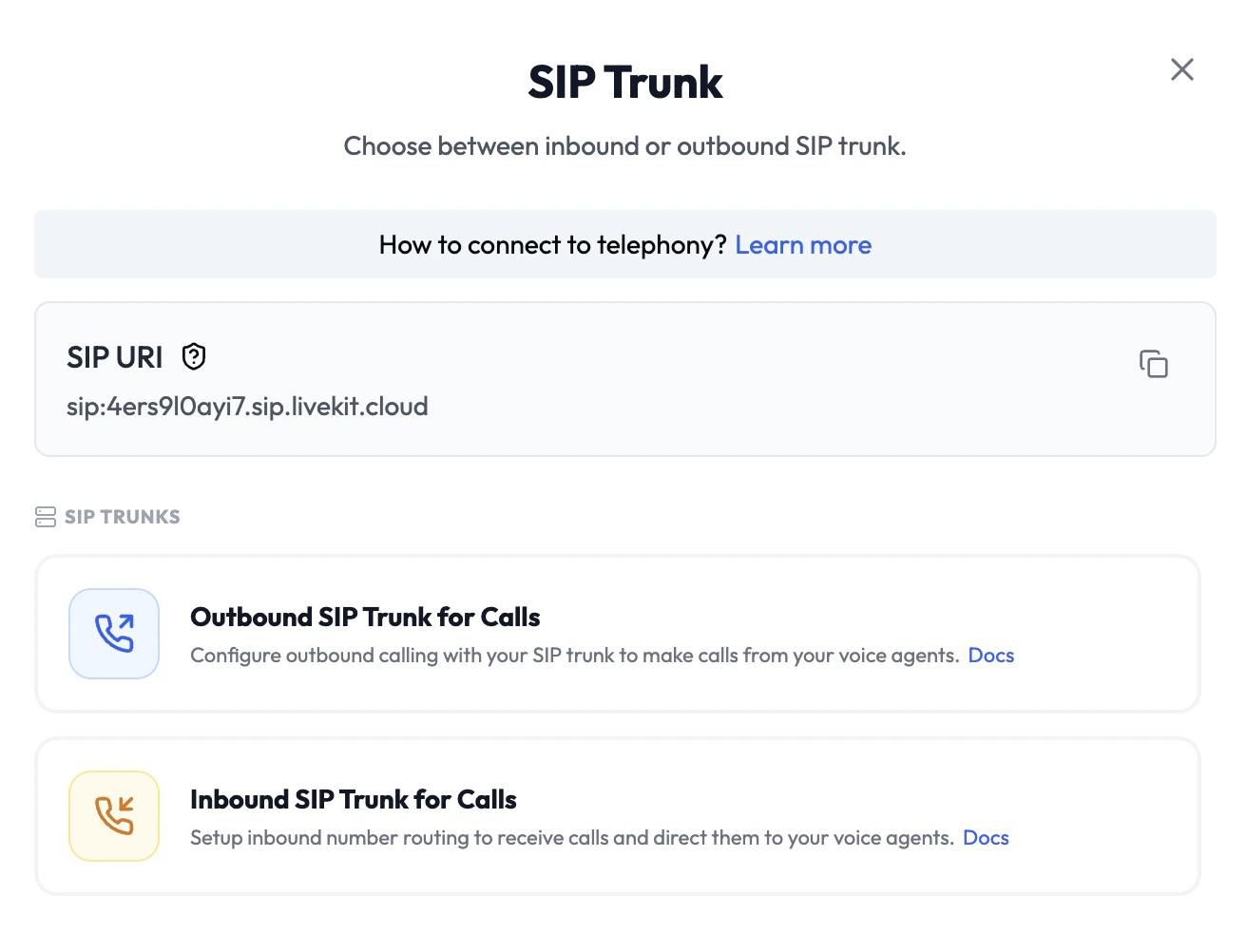
To use the live call transfer feature, you must configure an Outbound Trunk for the corresponding number and ensure outbound calling is enabled by your telephony provider.
Inbound SIP Trunk
An inbound trunk assigns a phone number that customers can call. Incoming calls on this number are routed directly to the linked Voice Agent.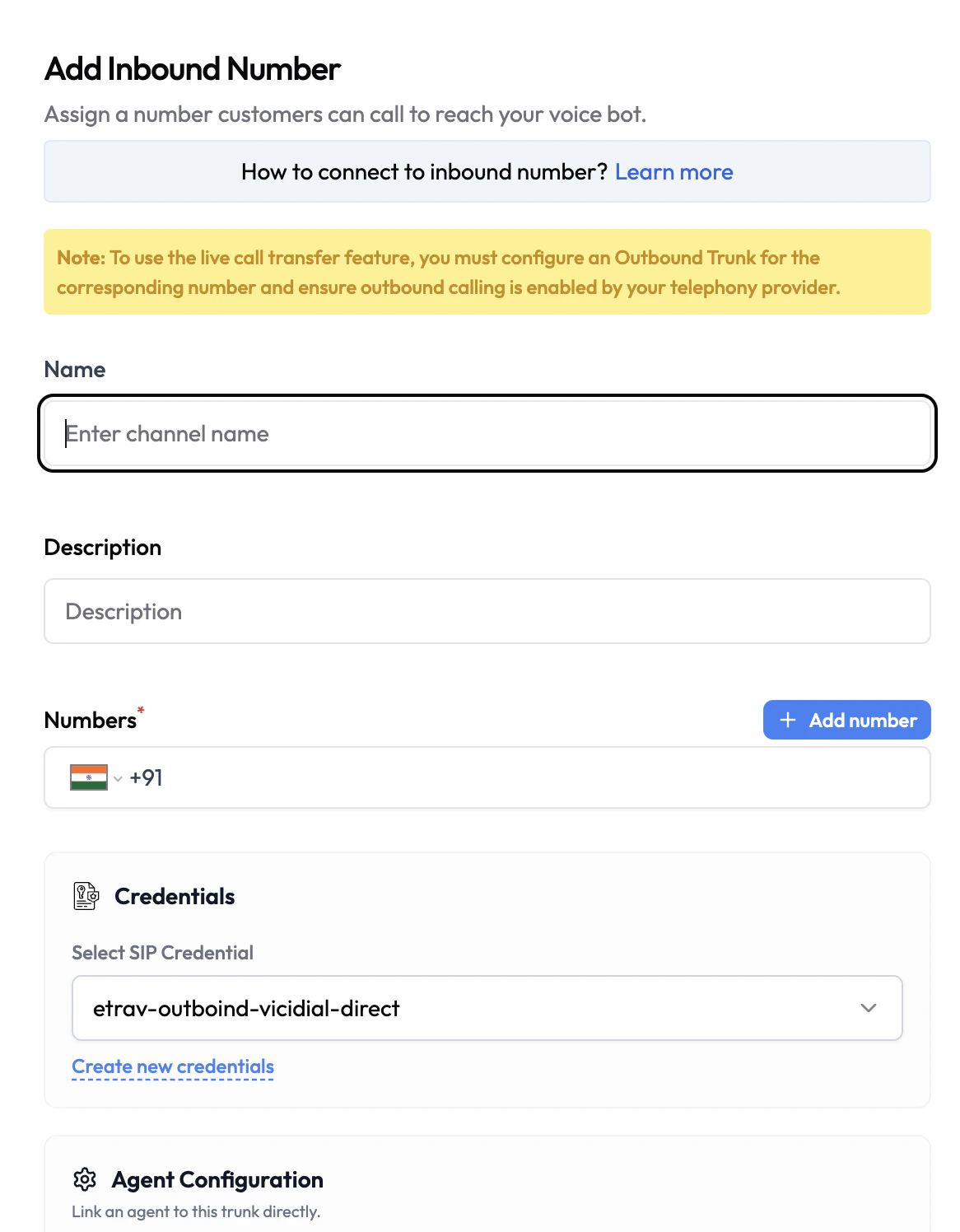
Configuration
How to Set Up
- Navigate to Channels and click Add Channel → Voice.
- Select Inbound SIP Trunk for Calls.
- Enter a Name and optionally a Description.
- Add the phone number(s) that will receive calls.
- Select a SIP Credential (or create one).
- Under Agent Configuration, select the Voice Agent to handle calls.
- Click Save.
- In your telephony provider, point the number’s SIP destination to your workspace SIP URI.
Outbound SIP Trunk
An outbound trunk provides a phone number the Voice Agent uses when placing outgoing calls — either for outbound campaigns or for the test call feature.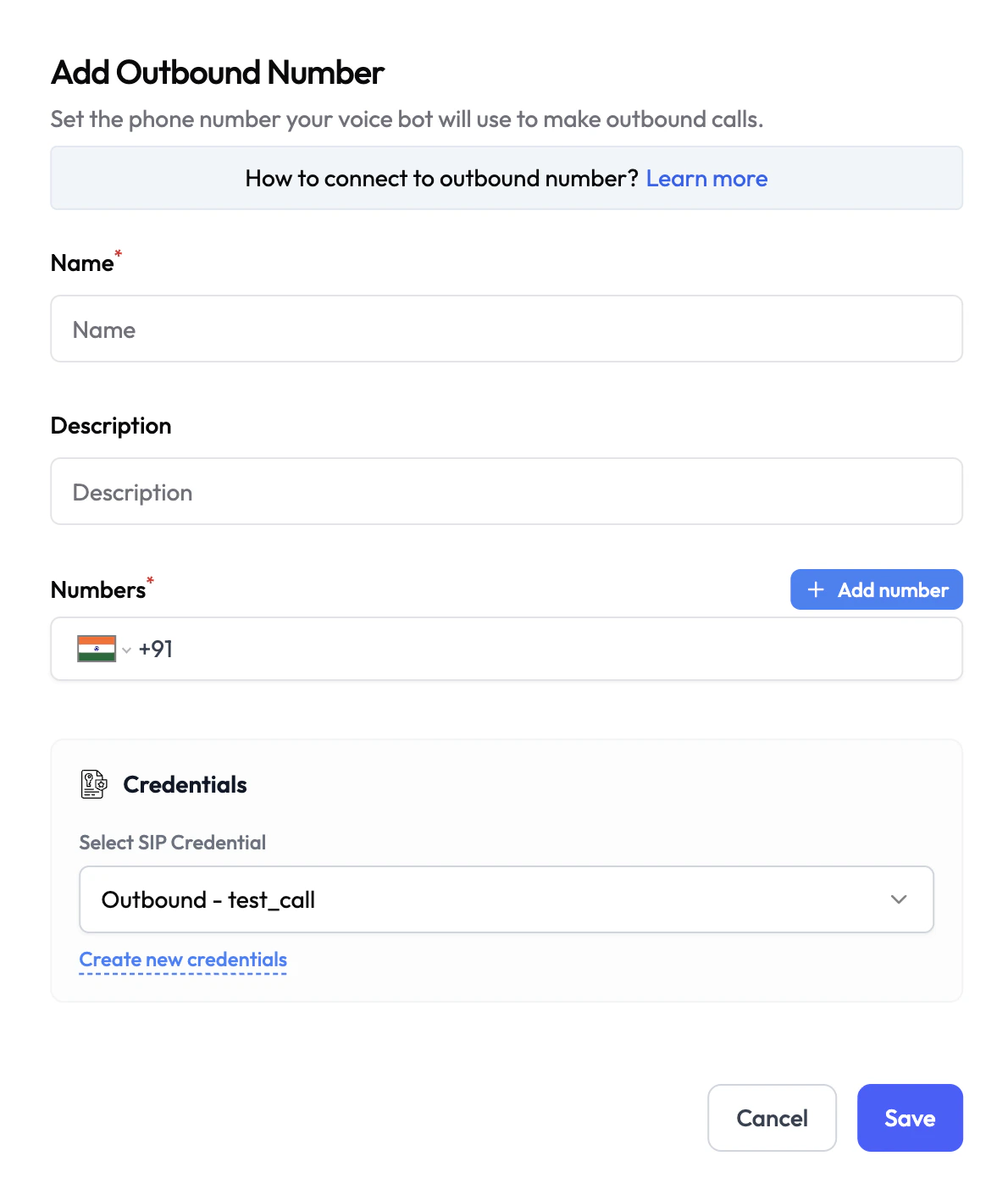
Configuration
How to Set Up
- Navigate to Channels and click Add Channel → Voice.
- Select Outbound SIP Trunk for Calls.
- Enter a Name and optionally a Description.
- Add the phone number(s) to use as the outbound caller ID.
- Select a SIP Credential (or create one).
- Click Save.
Credentials
Voice channels use SIP Credentials to authenticate your SIP trunk. These are stored securely in encrypted form and never exposed in plaintext after saving.SIP Credentials
Create and manage SIP credentials for your voice trunks
All Credentials
Overview of all credential types in Subverse