

Overview
A WebChat Channel connects a Chat Agent to your website or application via a webhook endpoint. When a user sends a message through your web chat widget or API integration, Subverse receives it at the configured webhook URL, processes it through the linked Chat Agent, and returns a response. WebChat channels use credentials to secure the webhook connection, stored in encrypted form. When to use a WebChat Channel:- You want to embed a chat widget powered by a Subverse agent on your website
- You’re building a custom chat interface and need to connect it to an AI agent via API
- You want to handle chat interactions programmatically through webhooks
How to Set Up
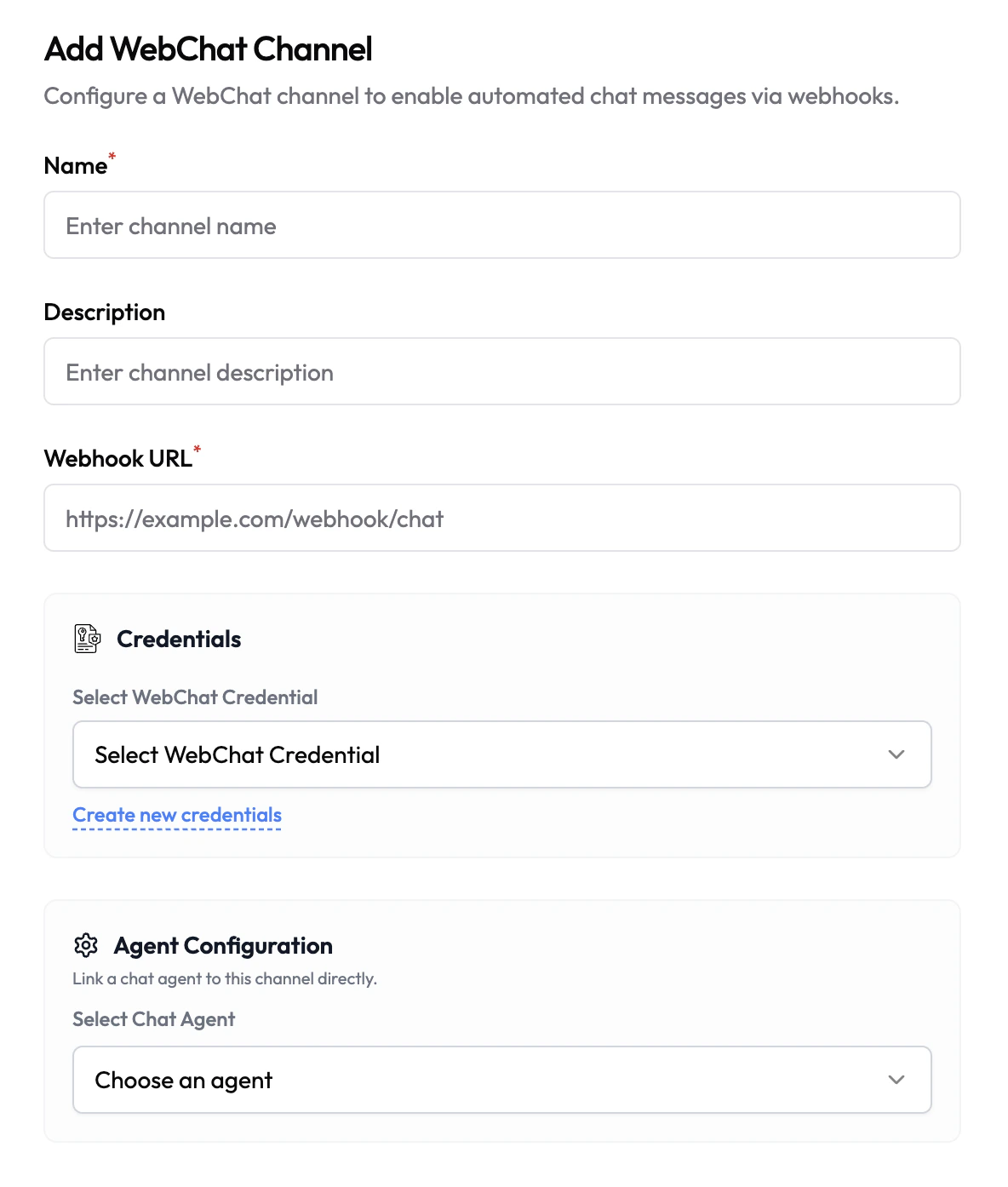
- Navigate to Channels in the left sidebar.
- Click Add Channel and select WebChat.
- Fill in the channel details (see configuration below).
- Select or create a WebChat Credential.
- Under Agent Configuration, link a Chat Agent.
- Click Save.
Configuration
Credentials
WebChat channels use credentials to authenticate webhook requests, ensuring only authorized sources can send messages to your channel. Credentials are stored encrypted and never exposed in plaintext after saving.All Credentials
Create and manage your WebChat credentials in the Credentials section