

Documentation Index
Fetch the complete documentation index at: https://docs.subverseai.com/llms.txt
Use this file to discover all available pages before exploring further.
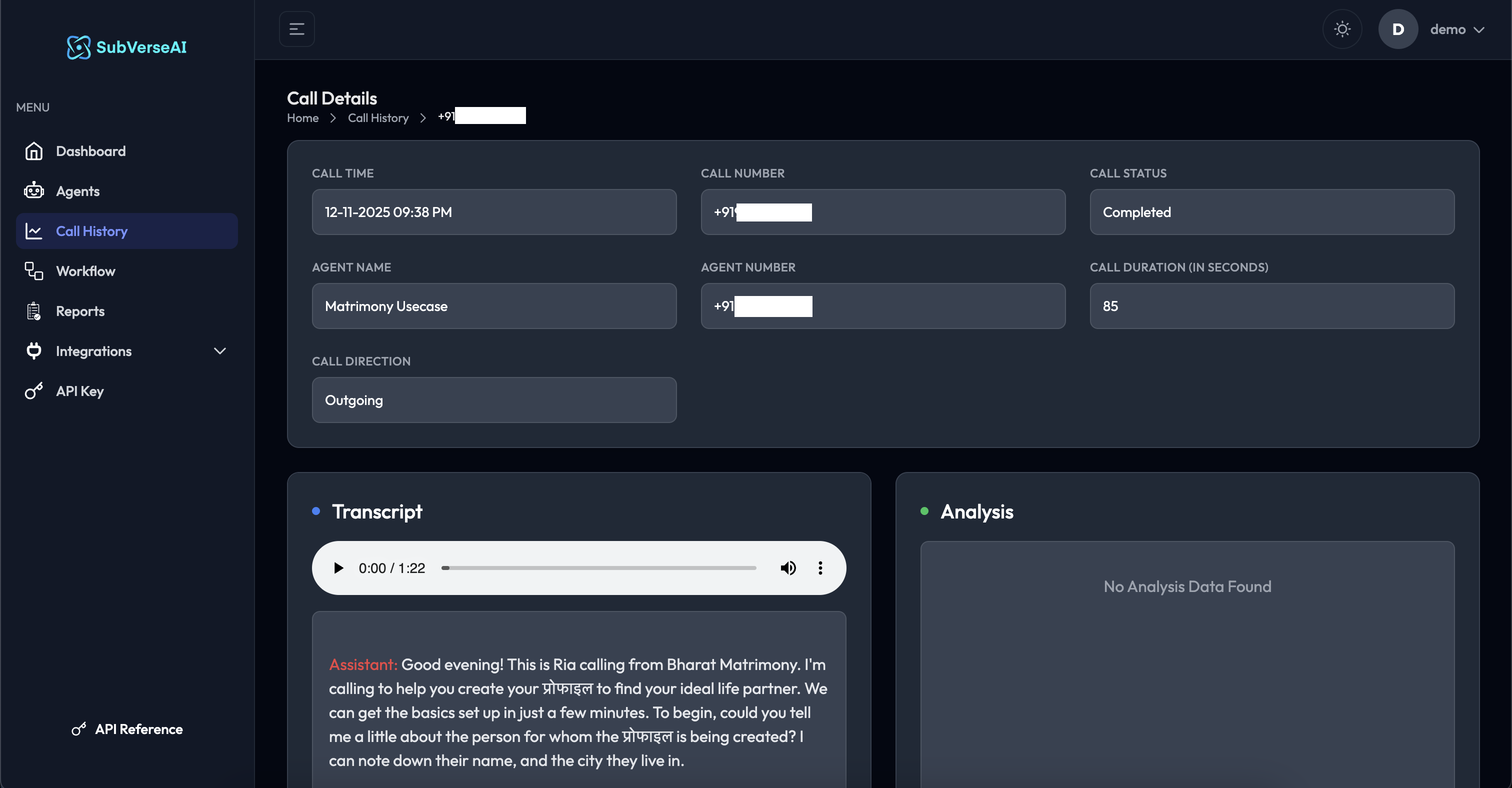
Call Information Panel
The top section displays comprehensive call metadata: Call Time- Exact timestamp: 12-11-2025 09:38 PM
- Timezone-aware display
- Customer’s phone number: +91xxxxxxxxxx
- Click to copy
- Final outcome: Completed
- Color-coded for quick identification
- AI agent that handled the call: Matrimony Usecase
- Links to agent configuration
- Phone number used: +91xxxxxxxxxx
- Identifies the outbound line
- Total conversation time: 85 seconds
- Excludes ring time and connection delays
- Outgoing: Agent initiated the call
- Incoming: Customer called in
Transcript Section
The transcript provides a complete, searchable record of the conversation: Audio Playback- Built-in audio player with controls
- Play/pause functionality
- Seek to any point in the conversation
- Volume control
- Download option
- Complete conversation transcript
- Speaker labels (Assistant vs Customer)
- Timestamps for each exchange
- Searchable text
- Copy functionality
- Multi-language support (shows mixed language conversations)
- Clear speaker identification
- Natural conversation flow
- Accurate transcription with custom keywords
Analysis Section
Post-call analytics and data extraction: Automated Analysis- Sentiment analysis
- Intent detection
- Key topics discussed
- Action items identified
- Custom data fields (configured in agent settings)
- Summary of conversation
- Customer sentiment (positive/negative/neutral)
- Lead quality scores
- Order IDs or reference numbers
- Follow-up requirements
- Any custom fields you’ve defined
Analysis data may take 1-2 minutes to process after the call ends. If you see “No Analysis Data Found”, check back shortly or ensure Post Call Data Analysis is configured in your agent settings.