

How Agentic Functions Secure Your Agent
SubVerse AI follows a strict allow-list model for everything an LLM can do. The LLM only has access to tools you have explicitly attached — it cannot reach outside that boundary. This means:- No open internet access by default. Even if the underlying model supports web search or URL fetching, those capabilities are gated. The LLM cannot search the web or retrieve a URL unless you have explicitly added that function to the agent.
- No implicit tool use. The LLM cannot call any function, fetch any data, or trigger any system unless it has been attached and described in the agent’s function configuration.
- Every capability is declared. Each function you attach comes with a name and description. The LLM reasons over that list to decide what to call and when — it has no visibility into tools that have not been added.
web_fetch and web_search natively in the underlying model — but those tools are not available to your agent unless you add them under Default Functions. The LLM will not attempt to use them, and SubVerse AI will not execute them, if they are not attached.
This model ensures your agents behave exactly as designed, with no unexpected side effects.
If you want your agent to search the web, retrieve URLs, execute code, or access any external resource, you must add the corresponding function explicitly. See Default Functions for the full list of available platform and LLM-native tools.
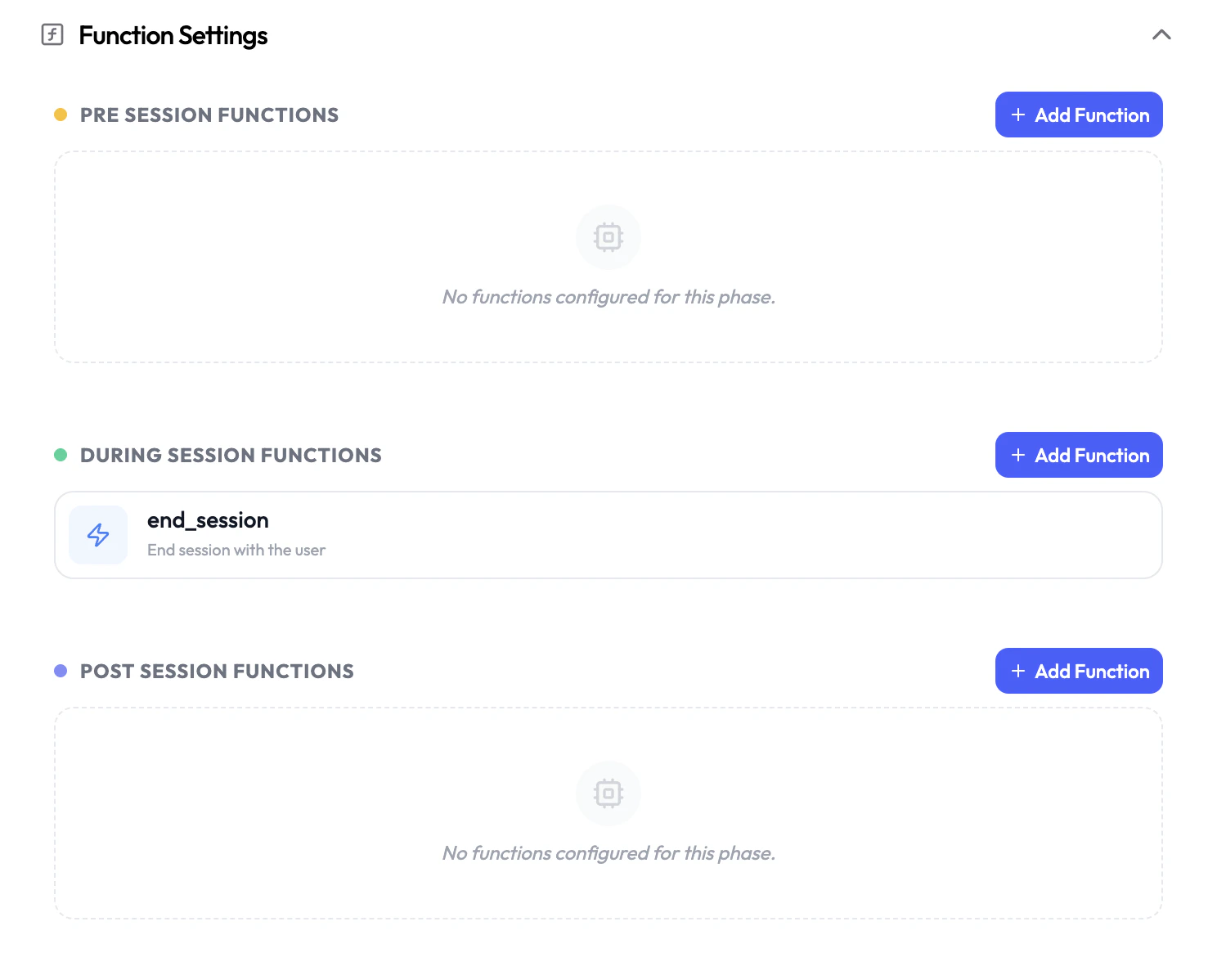
Session Phases
Pre-Session
Run before the agent activates. Fetch customer data, validate inputs, or halt execution before a session begins.
During-Session
Functions the LLM can invoke in real time during an active conversation.
Post-Session
Run after the session ends. Save transcripts, trigger follow-ups, or sync data to external systems.
Pre-Session Functions
Pre-session functions execute before the agent is activated, with no LLM involvement. Use them to prepare context for the session — fetch customer records, validate caller data, or conditionally stop the session from launching. Available function types:Background Agent
Trigger an asynchronous agent to run preparatory tasks before the session starts.
Custom Functions
Call your own API or webhook to pre-fetch data, validate customers, or set dynamic variables.
- Dynamic Variables — Return data from your function in
response.dynamicVariablesto inject real-time context into the agent’s prompt. - Terminate Agent — Set
response.terminateAgent: trueto cancel the session before the agent connects (e.g., block spam callers or unauthenticated users).
The LLM is not active during this phase. LLM-generated parameters are not available in pre-session functions.
During-Session Functions
During-session functions are tools the LLM can call while it is actively in conversation. These enable real-time actions like fetching order details, transferring calls, or triggering background tasks — all without interrupting the conversation flow. Available function types:Default Functions
Built-in platform functions like transferring a call or ending a session.
Agent Handoff
Seamlessly route the conversation to a different specialized agent.
Background Agent
Trigger an async agent mid-conversation without blocking the LLM.
Custom Functions
Call your own API or webhook with LLM-extracted parameters.
Post-Session Functions
Post-session functions run after the session ends, once the conversation is fully complete. The LLM is no longer active, soparams (LLM-extracted parameters) are not populated — but the full request body is available, including analysis, dynamicVariables, recordingUrl, transcript, and all session metadata.
Use the analysis field to act on what happened in the session: save summaries to your CRM, trigger follow-up messages, route based on sentiment, or sync data to any external system.
Available function types:
Background Agent
Trigger a follow-up agent to act on the session body after the call ends.
Custom Functions
Post session data to your own API — read
analysis, dynamicVariables, or recordingUrl to drive your logic.params is not populated in post-session functions since the LLM is no longer active. Use analysis for post-call outcomes (summary, sentiment, custom fields) and dynamicVariables for any data carried forward from earlier functions in the session. See the full session body reference.