

How It Works
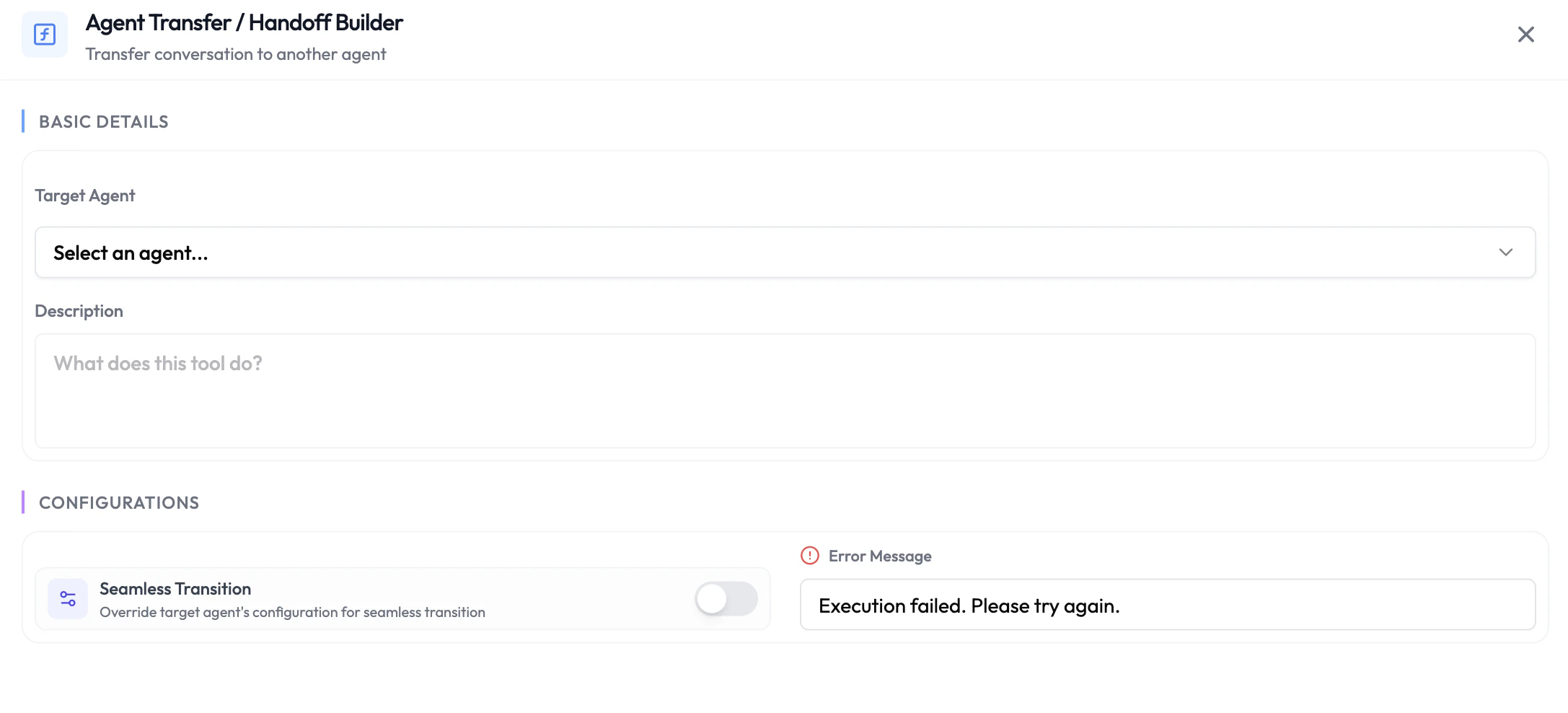
When the LLM determines a handoff is needed (based on your instructions or the conversation context), it calls the handoff function. The session is transferred to the target agent, which picks up with the full conversation context passed along.Configuring an Agent Handoff
- Navigate to Integrations → Agentic Functions and select your agent.
- Under During-Session Functions, click + Add Function and choose Agent Handoff.
- Select the Target Agent to hand off to.
- Provide a Description so the LLM understands when to trigger this handoff (e.g., “Hand off to the billing agent when the customer asks about invoices or payments”).
- Save the function.
Availability
Next Steps
Background Agent
Trigger async tasks mid-conversation without blocking the LLM
Default Functions
Built-in platform actions available to every agent