

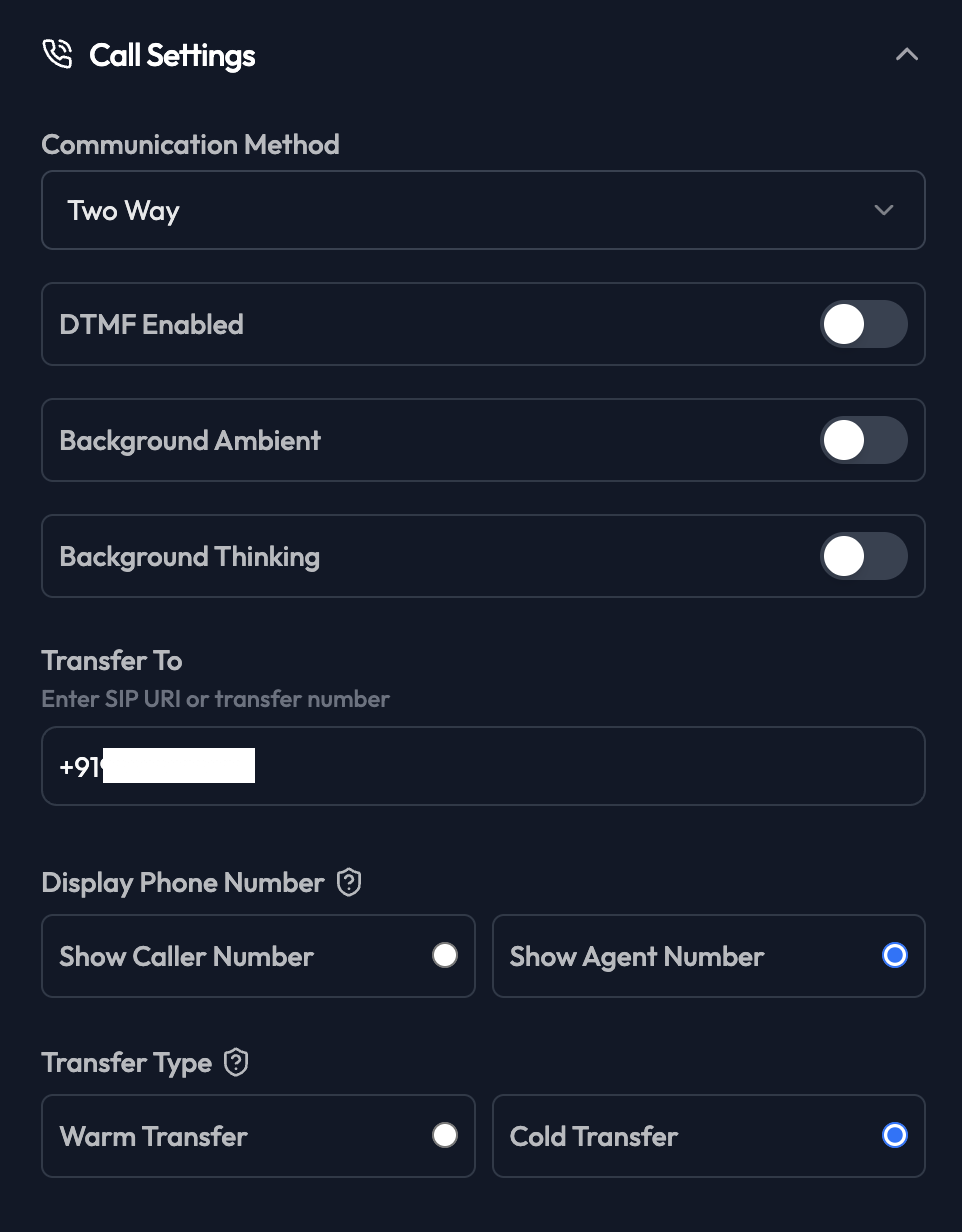
Communication Method
- Two Way: Normal conversation (agent and customer both speak)
- One Way: Agent only speaks (for announcements)
DTMF Enabled
Allows customers to use phone keypad during calls.- Enabled: Customer can press numbers for menu navigation
- Disabled: Voice-only interaction
Background Ambient
Adds subtle background noise for more natural feel.- Enabled: Slight ambient sound
- Disabled: Pure silence when agent isn’t speaking
Background Thinking
Adds “thinking” sounds (like “keyboard typing”) when agent processes.- Enabled: More human-like
- Disabled: Silent processing
Transfer To
Phone number or SIP URI for human agent transfers. Format:- Escalations
- Complex issues
- Customer requests
Display Phone Number
Choose which number appears on caller ID:- Show Caller Number: Customer’s number
- Show Agent Number: Your business number
Transfer Type
How the agent handles transfers: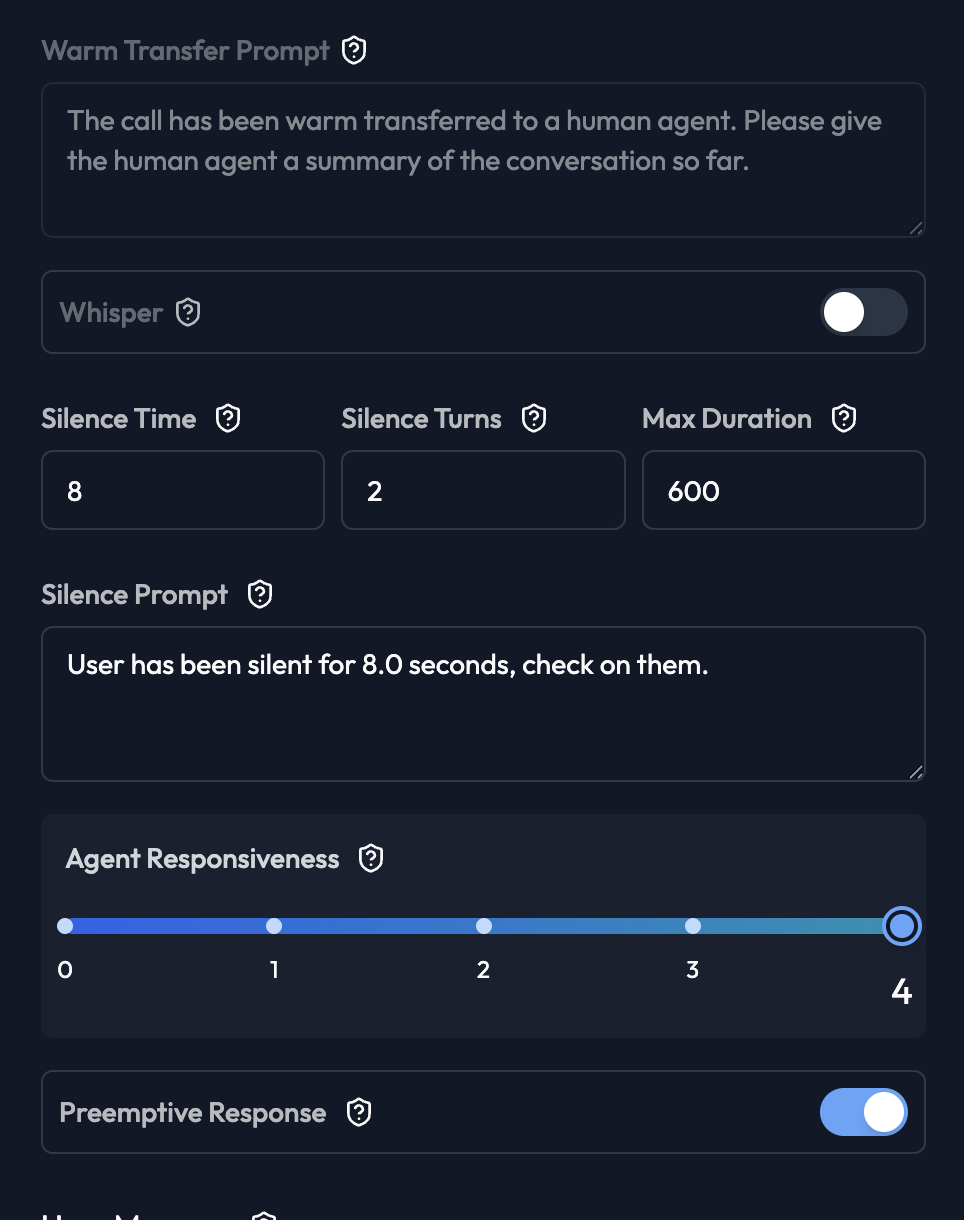
- Warm Transfer: Agent stays on line, introduces customer to human agent
- Cold Transfer: Agent transfers and disconnects
Whisper
Agent whispers to human agent before customer hears them (warm transfer only).Silence Time
Seconds of silence before agent prompts customer (default: 8).Silence Turns
Number of silence periods before taking action (default: 2).Max Duration
Maximum call length in seconds (default: 600 = 10 minutes). Recommended: 300-600 seconds for most use casesSilence Prompt
What agent says after detecting silence:Agent Responsiveness
How quickly agent responds (0-4 scale). Settings:- 0: Slow, deliberate responses
- 2: Normal (recommended)
- 4: Very fast, immediate responses
Preemptive Response
Agent starts generating response before customer finishes speaking.- Enabled: More responsive, overlapping conversation
- Disabled: Agent waits for complete silence
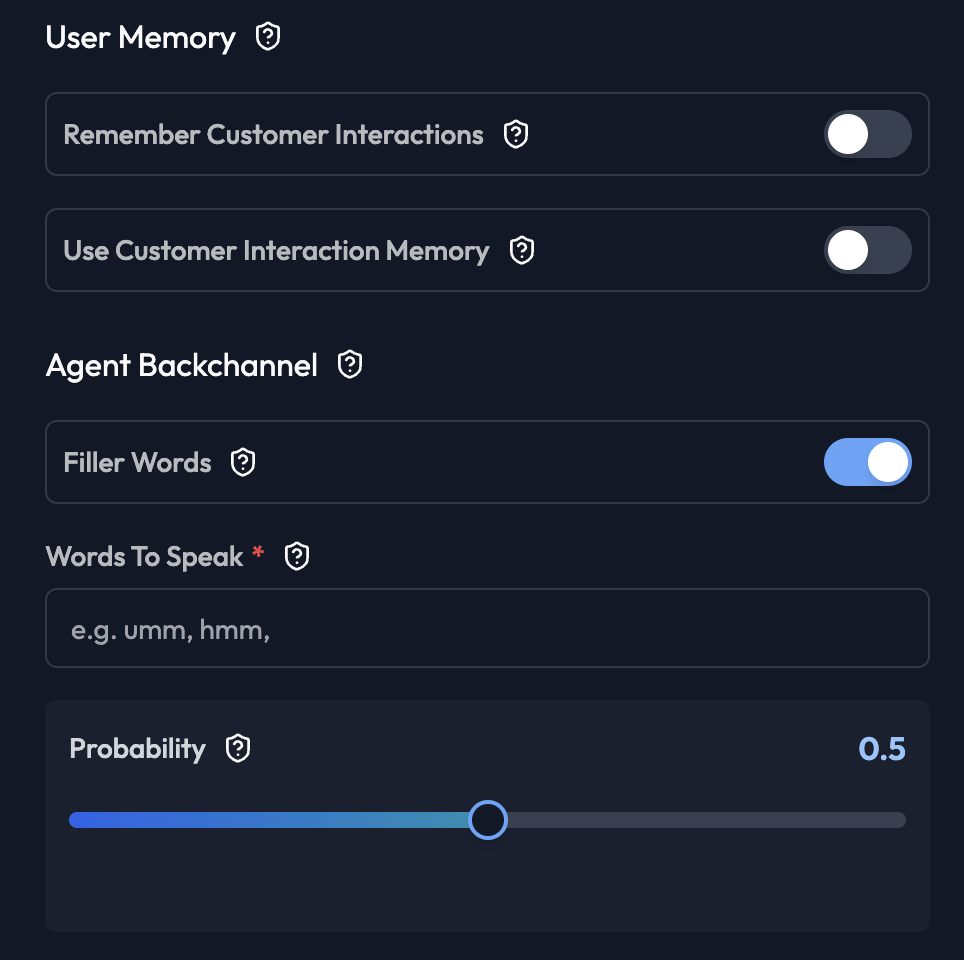
User Memory
Remember Customer Interactions Store conversation history across calls.- Enabled: Agent remembers previous conversations
- Disabled: Each call is independent
Agent Backchannel
Filler Words Agent says acknowledgment sounds during customer speech.- Enabled: “mm-hmm”, “yes”, “I see”
- Disabled: Silent listening
- 0.0: Never
- 0.5: Occasionally (recommended)
- 1.0: Frequently