

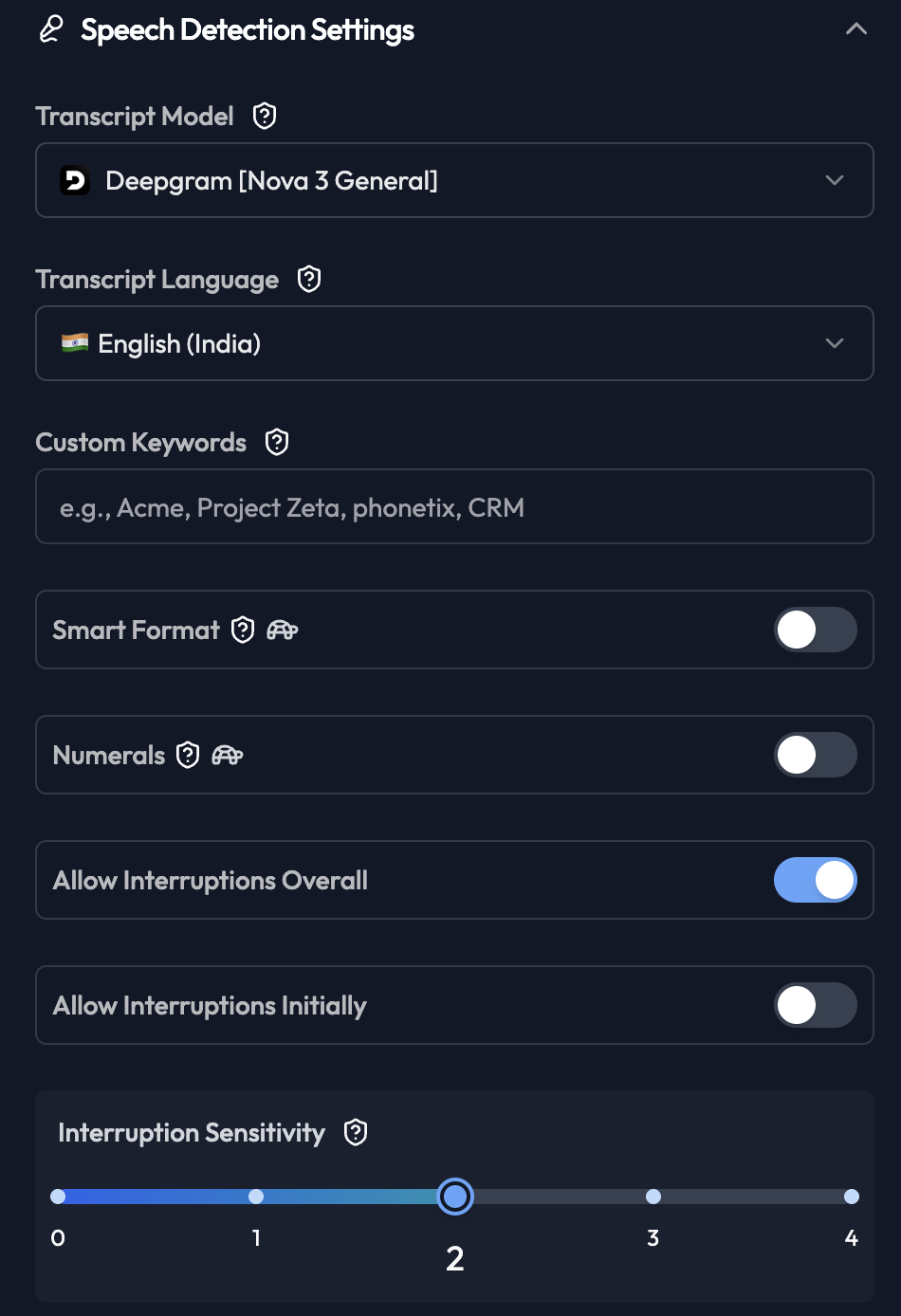
Transcript Model
Select the speech-to-text engine:- Deepgram [Nova 3 General]: Best accuracy for general conversations
- Deepgram [Nova 2]: Good balance of speed and accuracy
- Whisper: Open-source option
Transcript Language
Select the primary language for transcription:- English (India)
- English (US)
- Hindi
- Multiple other languages supported
Custom Keywords
Add domain-specific terms for better recognition:- Company names
- Product names
- Technical terms
- Industry jargon
Smart Format
Automatically formats numbers, dates, and currency in transcripts.- Enabled: “two thousand twenty five” → “2025”
- Disabled: Raw transcription
Numerals
Converts spoken numbers to digits in transcripts.- Enabled: “three hundred” → “300”
- Disabled: “three hundred”
Allow Interruptions Overall
Enables customers to interrupt the agent while speaking.- Enabled: Natural, human-like conversations
- Disabled: Agent completes sentences before listening
Allow Interruptions Initially
Controls interruptions during the greeting message.- Enabled: Customer can interrupt greeting
- Disabled: Greeting plays completely
Interruption Sensitivity
Controls how easily customers can interrupt (0-4 scale). Settings:- 0: Very difficult to interrupt (agent rarely stops)
- 1: Difficult to interrupt
- 2: Moderate (recommended for most cases)
- 3: Easy to interrupt
- 4: Very easy to interrupt (agent stops frequently)