

HTTP Basic Auth Credentials
HTTP Basic Auth credentials allow your SubverseAI agents to authenticate with web services using the standard HTTP Basic authentication scheme.Overview
HTTP Basic Auth provides access to:- REST APIs requiring username/password authentication
- Legacy web services
- Simple authentication schemes
- Intranet and internal services
- Development and testing endpoints
Dashboard Screenshot
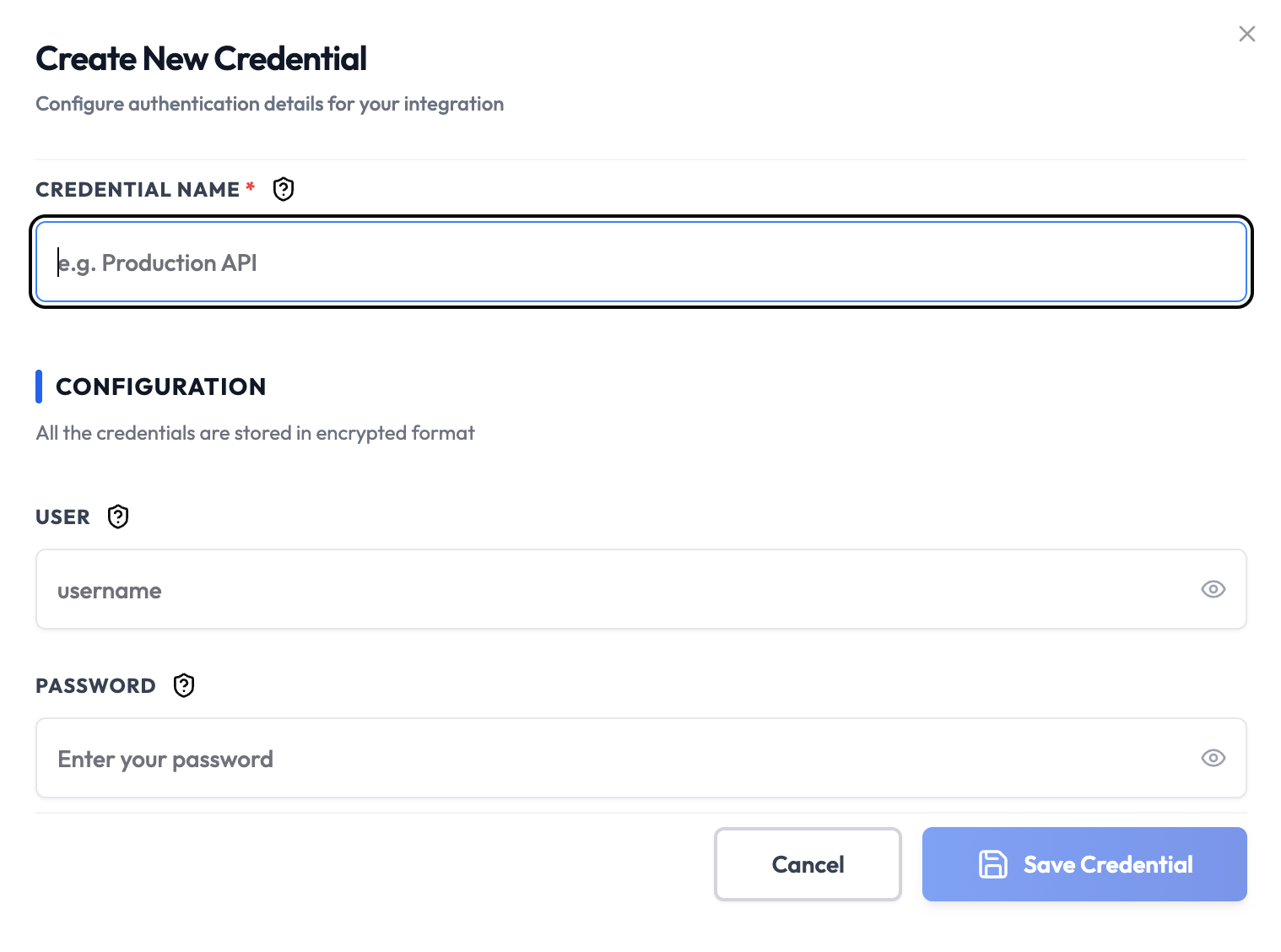
Steps to Create HTTP Basic Auth Credentials
1. Identify Basic Auth Requirements
Check your API documentation to confirm it uses HTTP Basic authentication:- Look for “Basic Authentication” or “HTTP Basic Auth”
- Check for username/password requirements
- Verify the authentication header format
2. Get Authentication Credentials
From your service provider, collect:- Username: Your API username or client ID
- Password: Your API password or client secret
3. Add to SubverseAI
- Go to Credentials in your SubverseAI dashboard
- Click Create New Credential
- Select HTTP Basic Auth from the credential types
- Enter a name for your credential
- Fill in the required fields:
- Username: Your API username
- Password: Your API password
- Click Save Credential
Required Fields
- Name: A descriptive name for your credential
- Username: Your API username or client ID
- Password: Your API password or client secret
Usage Tips
- Use HTTPS endpoints to protect credentials in transit
- Create dedicated API users for SubverseAI access
- Use strong, unique passwords for each service
- Regularly rotate credentials for security
Troubleshooting
401 Unauthorized: Verify username and password are correct Invalid Credentials: Check for typos and ensure credentials are up-to-date Connection Failed: Verify the service URL and network connectivity Encoding Issues: Ensure special characters in credentials are properly handledNext Steps
After creating your HTTP Basic Auth credentials:- Set up authenticated API requests
- Configure secure web service integrations
- Build authentication testing workflows
- Monitor authentication success rates
- Implement credential rotation procedures