

SIP Credentials
SIP credentials allow your SubverseAI agents to make and receive voice calls through SIP trunk providers for voice communication workflows.Overview
SIP credentials provide access to:- Voice call initiation and reception
- SIP trunk integration
- VoIP telephony services
- Interactive voice response (IVR) systems
- Call routing and management
Dashboard Screenshot
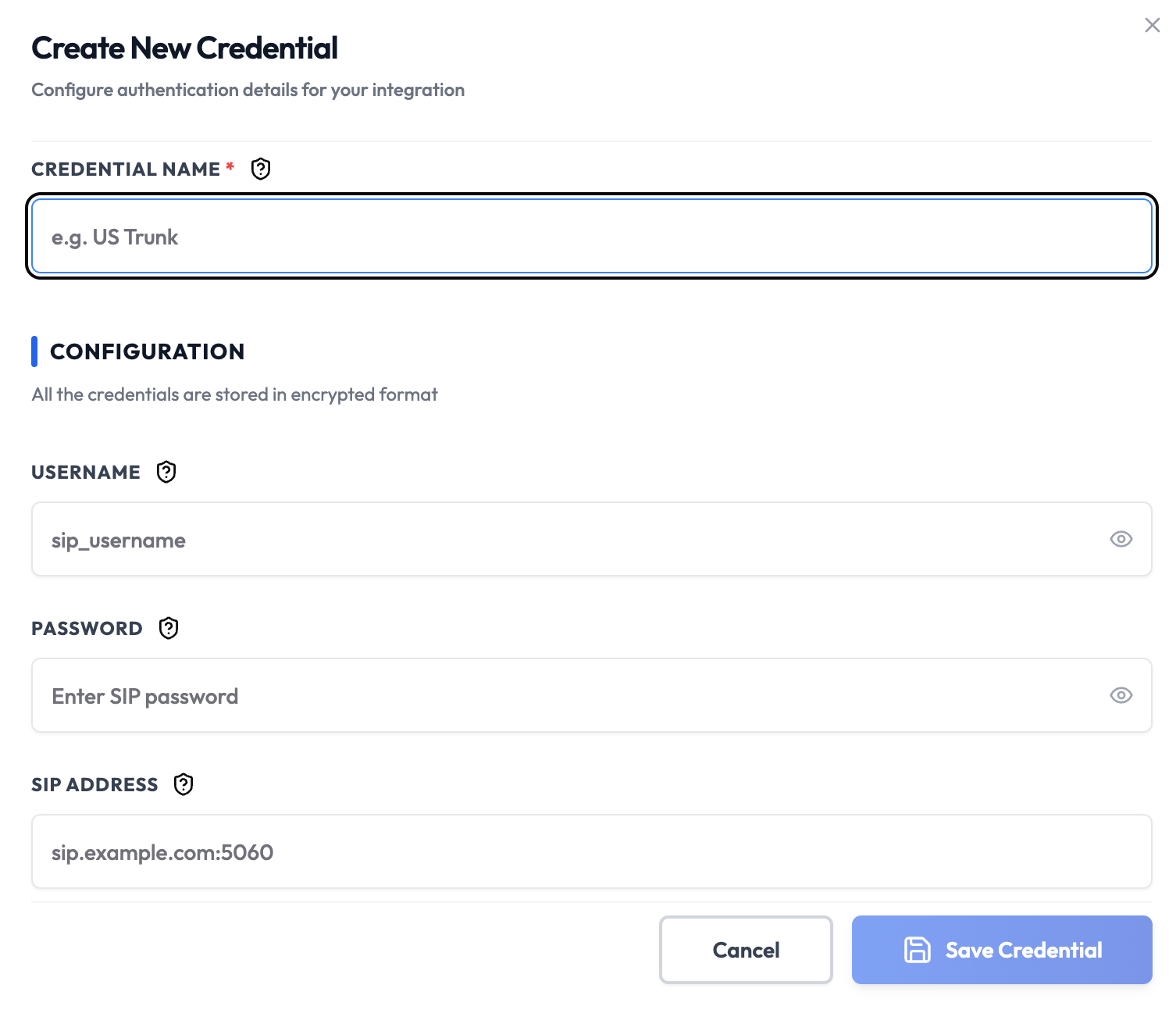
Steps to Create SIP Credentials
1. Choose a SIP Provider
Select a SIP trunk provider that supports your needs:- Twilio
- Vonage
- Plivo
- Telnyx
- Or any other SIP-compatible provider
2. Create SIP Account
- Sign up for an account with your chosen provider
- Navigate to the SIP/voice section
- Create a new SIP trunk or account
- Configure your account settings (region, codecs, etc.)
3. Get SIP Credentials
From your provider dashboard, collect:- Username: Your SIP account username (optional for unauthenticated trunks)
- Password: Your SIP account password (optional for unauthenticated trunks)
- SIP Address: SIP server address (required for outbound trunks, optional for inbound)
4. Add to SubverseAI
- Go to Credentials in your SubverseAI dashboard
- Click Create New Credential
- Select SIP Credentials from the credential types
- Enter a name for your credential
- Fill in the fields:
- Username: Your SIP username (optional for unauthenticated trunks)
- Password: Your SIP password (optional for unauthenticated trunks)
- SIP Address: SIP server address (required for outbound trunks, optional for inbound)
- Click Save Credential
Fields
- Name: A descriptive name for your credential
- Username: Your SIP account username (optional for unauthenticated trunks)
- Password: Your SIP account password (optional for unauthenticated trunks)
- SIP Address: SIP server address (required for outbound trunks, optional for inbound)
Usage Tips
- Use secure SIP (SIPS) with port 5061 for encrypted communications
- Configure firewall rules to allow SIP traffic
- Test with different codecs for optimal audio quality
- Monitor call quality and latency
Troubleshooting
Connection Failed: Verify server address, port, and firewall settings Authentication Failed: Double-check username and password Audio Issues: Check codec compatibility and network bandwidth Registration Timeout: Verify server settings and network connectivityNext Steps
After creating your SIP credentials:- Set up voice call workflows
- Configure IVR systems
- Build call routing logic
- Integrate with AI agents for voice interactions
- Monitor call quality and metrics