

HTTP Custom Auth Credentials
HTTP Custom Auth credentials allow your SubVerseAI agents to authenticate with web services using a custom JSON definition for headers, query parameters, and body fields.Overview
HTTP Custom Auth provides access to:- Multi-part authentication schemes
- Custom header, query, and body combinations
- APIs with non-standard authentication requirements
- Flexible authentication definitions in JSON
- Advanced integration scenarios
Dashboard Screenshot
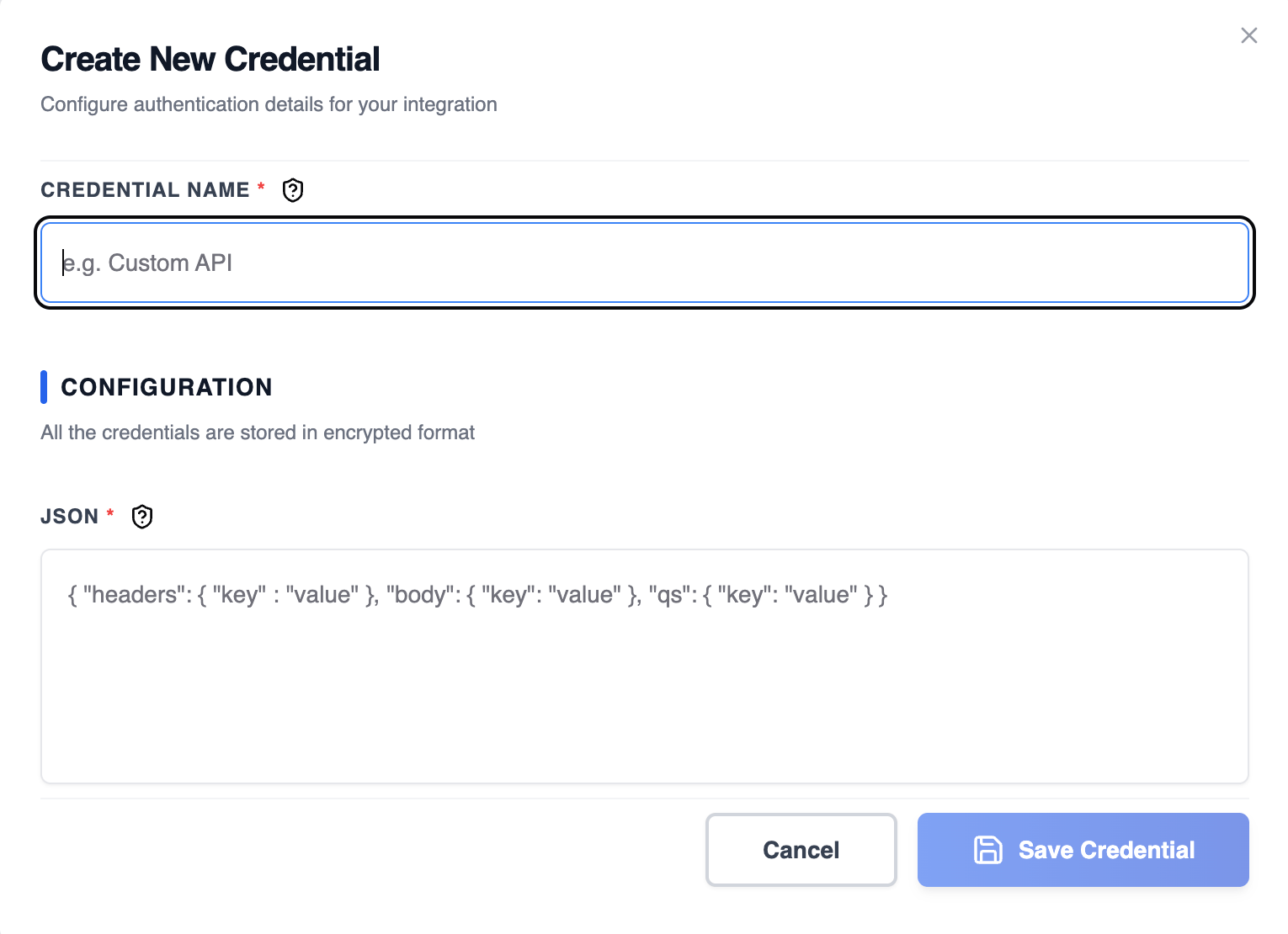
Steps to Create HTTP Custom Auth Credentials
1. Identify Custom Auth Requirements
Check your API documentation to determine the required authentication format:- Look for header, query, and body parameters
- Check the exact field names and values
- Verify whether values need to be nested
- Note any required prefixes or formatting
2. Build the Authentication JSON
Create a JSON object that defines authentication values for the request:- headers: Custom HTTP headers to include
- body: Fields to add to the request body
- qs: Query string parameters to append to the URL
3. Add to SubverseAI
- Go to Credentials in your SubverseAI dashboard
- Click Create New Credential
- Select HTTP Custom Auth from the credential types
- Enter a name for your credential
- Fill in the required field:
- JSON: The authentication JSON definition
- Click Save Credential
Required Fields
- Name: A descriptive name for your credential
- JSON: A JSON object defining authentication values for headers, body, and query string
Usage Tips
- Use HTTPS endpoints to protect credentials in transit
- Validate your JSON format before saving
- Store sensitive values securely and rotate them regularly
- Test authentication against the target API endpoint
Troubleshooting
401 Unauthorized: Verify the JSON values match the API requirements Invalid JSON: Ensure the JSON is well-formed and valid Missing Field: Confirm the correct keys (headers, body, qs) are used
Request Format Error: Check that the API expects headers, body, or query parameters as defined
Next Steps
After creating your HTTP Custom Auth credentials:- Build advanced multi-part authentication workflows
- Integrate with non-standard APIs
- Test authentication across different request types
- Monitor authentication success and failure rates