

HTTP Query Auth Credentials
HTTP Query Auth credentials allow your SubVerseAI agents to authenticate with web services by appending a query parameter to the request URL.Overview
HTTP Query Auth provides access to:- API key authentication in query strings
- Token-based URL parameters
- Simple third-party API integrations
- Services that require
?api_key=or?token=style authentication - Legacy APIs that do not support header-based authentication
Dashboard Screenshot
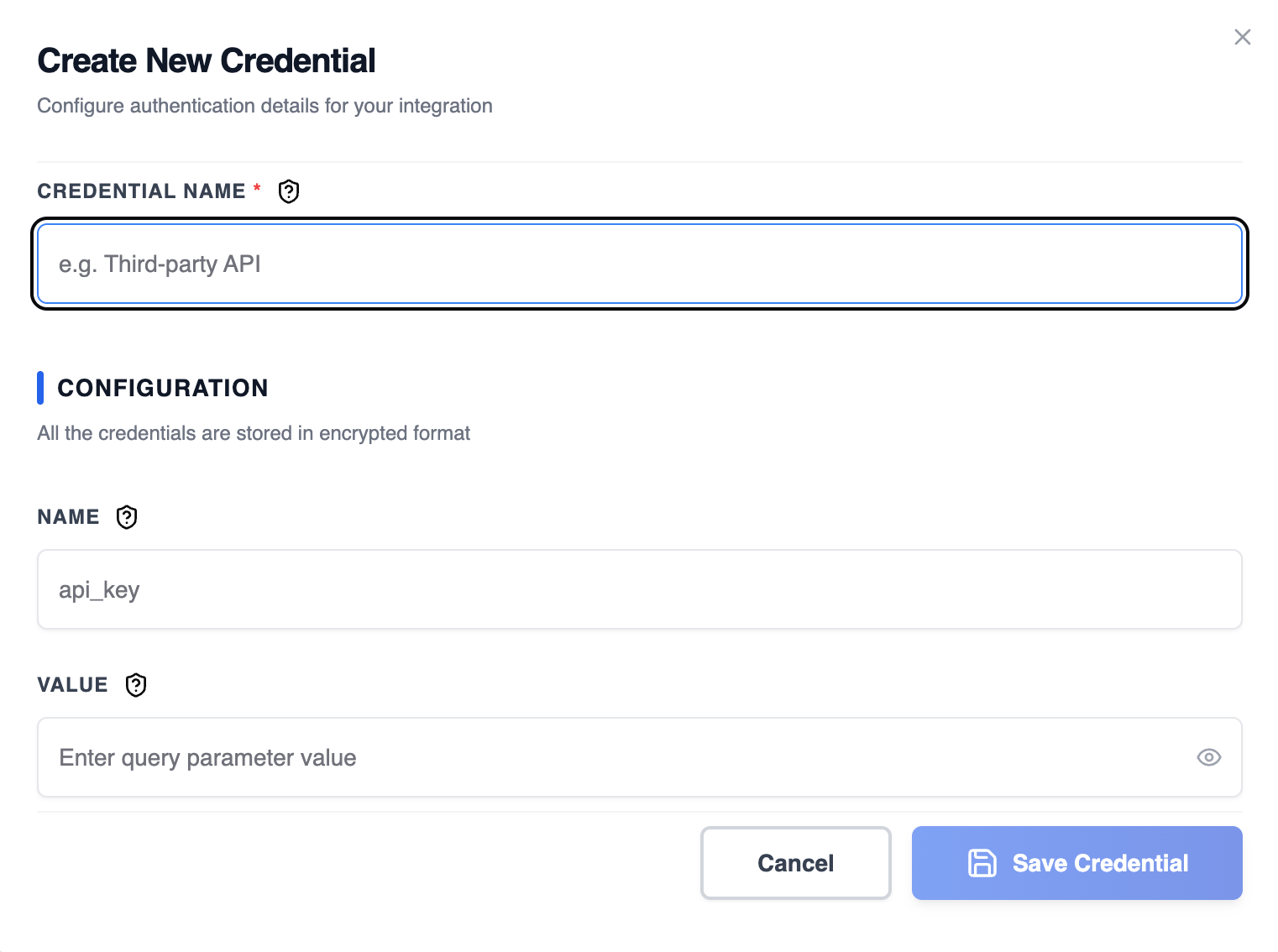
Steps to Create HTTP Query Auth Credentials
1. Identify Query Auth Requirements
Check your API documentation to determine the required query parameter:- Look for query string authentication
- Check the parameter name (e.g.,
api_key,token,key) - Verify the parameter value format
- Note whether the parameter should be URL-encoded
2. Get Query Authentication Details
From your service provider, collect:- Parameter Name: The query parameter name (e.g.,
api_key,token) - Parameter Value: The authentication value or API key
3. Add to SubVerseAI
- Go to Credentials in your SubVerseAI dashboard
- Click Create New Credential
- Select HTTP Query Auth from the credential types
- Enter a name for your credential
- Fill in the required fields:
- Name: The query parameter name
- Value: The query parameter value
- Click Save Credential
Required Fields
- Name: A descriptive name for your credential
- Name: The query parameter name (e.g.,
api_key) - Value: The query parameter value
Usage Tips
- Use HTTPS endpoints to protect query parameters in transit
- Avoid using query parameters for highly sensitive credentials when possible
- Verify that the API encodes query parameters correctly
- Use environment-specific credentials for different stages
Troubleshooting
401 Unauthorized: Verify the query parameter name and value are correct Invalid Parameter: Check the API documentation for the exact parameter name Encoding Issues: Ensure special characters in the value are properly URL-encoded Parameter Missing: Confirm the parameter is being appended to the request URLNext Steps
After creating your HTTP Query Auth credentials:- Set up query-parameter based API integrations
- Configure third-party service connections
- Test authentication across different endpoints
- Monitor authentication success and failure rates