

Shopify Access Token API Credentials
Shopify Access Token API credentials allow your SubverseAI agents to authenticate with Shopify stores using pre-generated access tokens for direct API access.Overview
Shopify Access Token credentials provide access to:- Direct API access with access tokens
- Private app integration
- Custom app development
- Simplified authentication flow
- High-frequency API operations
Video Tutorial
Dashboard Screenshot
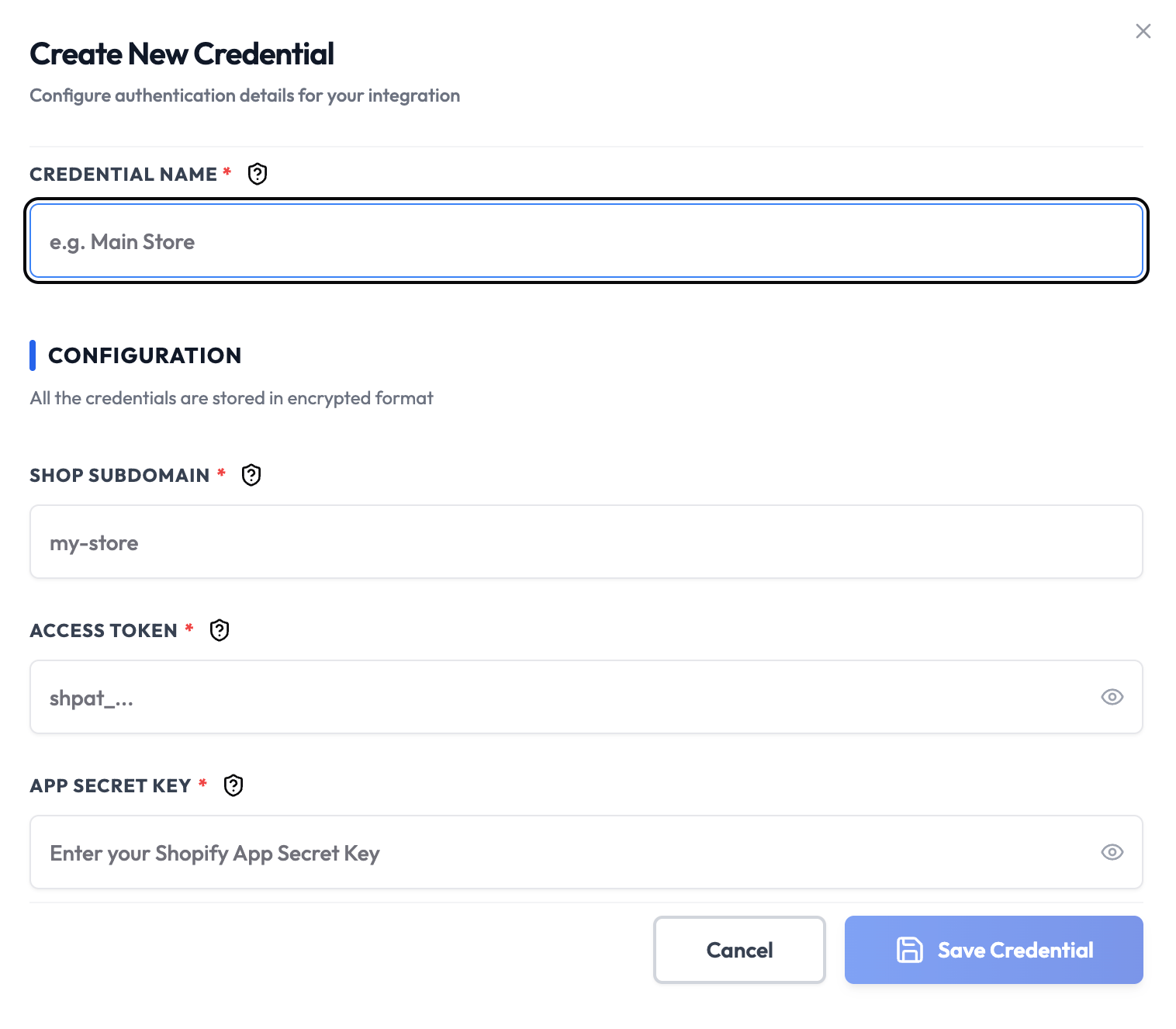
Steps to Create Shopify Access Token API Credentials
1. Create Private App
- Log in to your Shopify Admin
- Navigate to Settings > Apps
- Click Develop apps
- Click Create a legacy custom app
- Enter app name (e.g., “SubverseAI Token Access”)
- Select the app developer
- Click Create app
2. Configure Admin API Integration
- Go to the Configuration tab
- In Admin API integration, Click Configure
- Select the required Admin API access scopes:
read_products,write_productsfor product managementread_orders,write_ordersfor order processing- Additional scopes as needed
- Click Save
3. Install App and Generate Token
- Click Install app
- Confirm the installation
- Go to the API credentials tab
- Copy the Admin API access token [Will be generated after app installation and visible only once]
- Note the API key and API secret key
4. Add to SubverseAI
- Go to Credentials in your SubverseAI dashboard
- Click Create New Credential
- Select Shopify Access Token API from the credential types
- Enter a name for your credential
- Fill in the required fields:
- Store URL: Your Shopify store sub domain
- Access Token: Your Admin API access token
- API Key: Your app API key
- Click Save Credential
Required Fields
- Name: A descriptive name for your credential
- Store URL: Your Shopify store sub domain (e.g.,
your-storefromyour-store.myshopify.com) - Access Token: Your Admin API access token
- API Key: Your app API key
Usage Tips
- Use access tokens for high-frequency operations
- Store tokens securely and rotate regularly
- Monitor API usage to avoid rate limits
- Use separate tokens for different environments
Troubleshooting
Invalid Access Token: Regenerate the token from the app settings Store Not Found: Verify the store URL is correct Permission Denied: Check that the app has required Admin API scopes Rate Limit Exceeded: Monitor API usage and implement rate limitingNext Steps
After creating your Shopify Access Token credentials:- Set up direct API integration workflows
- Configure high-frequency operations
- Build real-time data synchronization
- Monitor API usage and performance
- Implement token rotation procedures