

Google Sheets API Key Credentials
Google Sheets API Key credentials allow your SubverseAI agents to read data from public Google Sheets without requiring user authentication.Overview
Google Sheets API Key credentials provide access to:- Reading data from public spreadsheets
- Fetching sheet metadata and values
- Accessing publicly shared sheet ranges
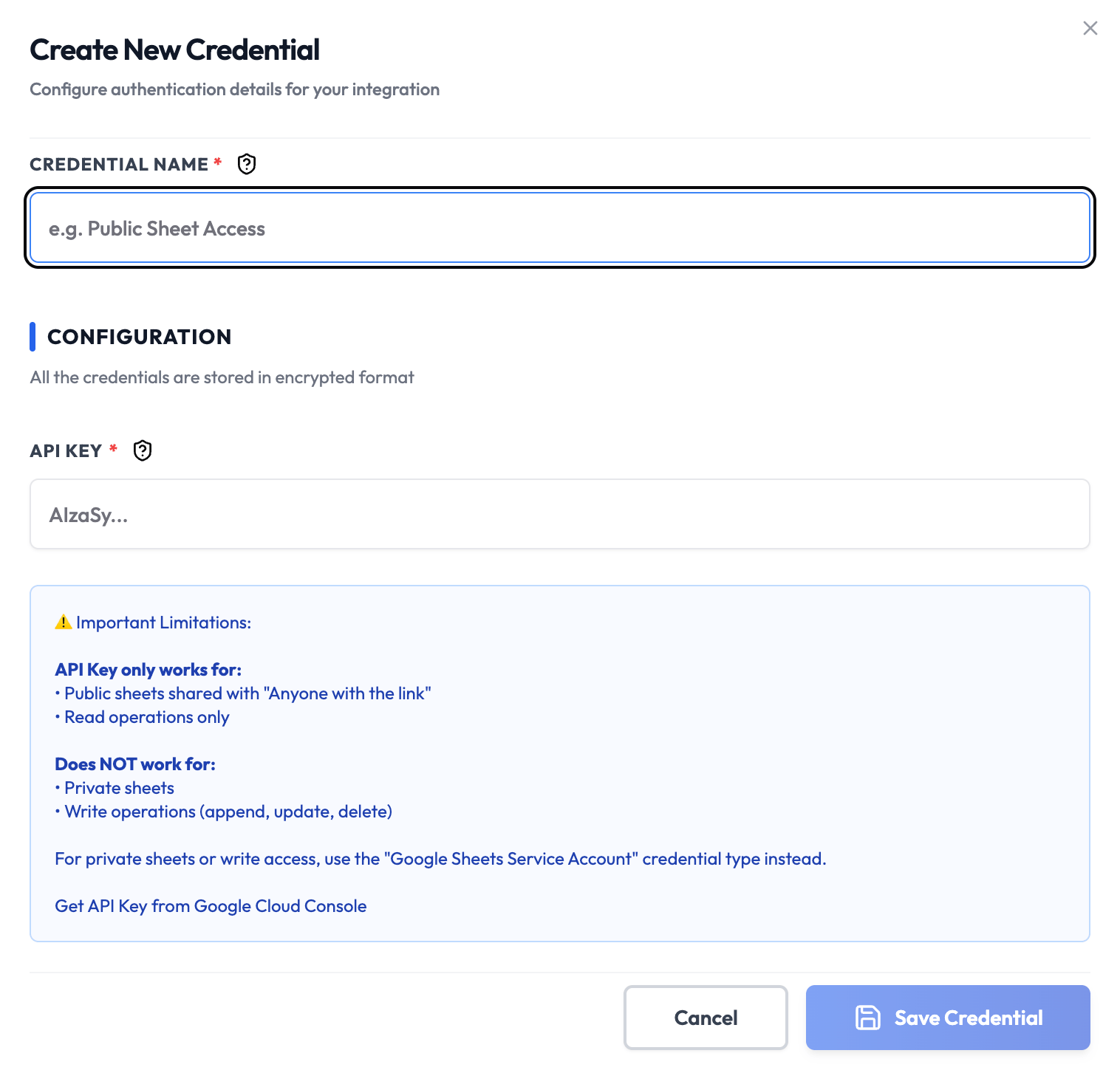
Dashboard Screenshot
Steps to Create Google Sheets API Key Credentials
1. Set Up a Google Cloud Project
- Visit the Google Cloud Console
- Sign in with your Google account
- Create a new project or select an existing one
2. Enable the Google Sheets API
- Navigate to APIs & Services > Library
- Search for Google Sheets API
- Click Enable
3. Create an API Key
- Go to APIs & Services > Credentials
- Click Create Credentials > API key
- Copy the generated API key (starts with
AIzaSy...) - Optionally, click Restrict Key to limit it to the Sheets API only
4. Make Your Sheet Public
- Open the Google Sheet you want to access
- Click Share (top-right)
- Change access to Anyone with the link > Viewer
- Copy the Spreadsheet ID from the URL:
- URL format:
https://docs.google.com/spreadsheets/d/<SPREADSHEET_ID>/edit
- URL format:
5. Add to SubverseAI
- Go to Credentials in your SubverseAI dashboard
- Click Create New Credential
- Select Google Sheets API Key from the credential types
- Enter a name for your credential (e.g., “Public Sheet Access”)
- Fill in the required fields:
- API Key: Your Google API key
- Click Save Credential
Required Fields
- Name: A descriptive name for your credential
- API Key: Your Google API key from Google Cloud Console
Usage Tips
- Restrict your API key to the Sheets API to reduce exposure risk
- Only use this credential type for non-sensitive, public data
- For any write operations or private sheets, switch to the Service Account credential
Troubleshooting
403 Forbidden: The sheet is not public — change sharing settings to “Anyone with the link” API Key Invalid: Verify you copied the full key including theAIzaSy prefix
API Not Enabled: Ensure the Google Sheets API is enabled in your Cloud project
Quota Exceeded: Google Sheets API has per-day request quotas — check your usage in the Cloud Console
Next Steps
After creating your Google Sheets API Key credentials:- Read data from public spreadsheets in workflows
- Build data dashboards and reporting automations
- For private sheets, configure Google Sheets Service Account credentials