
For Loop

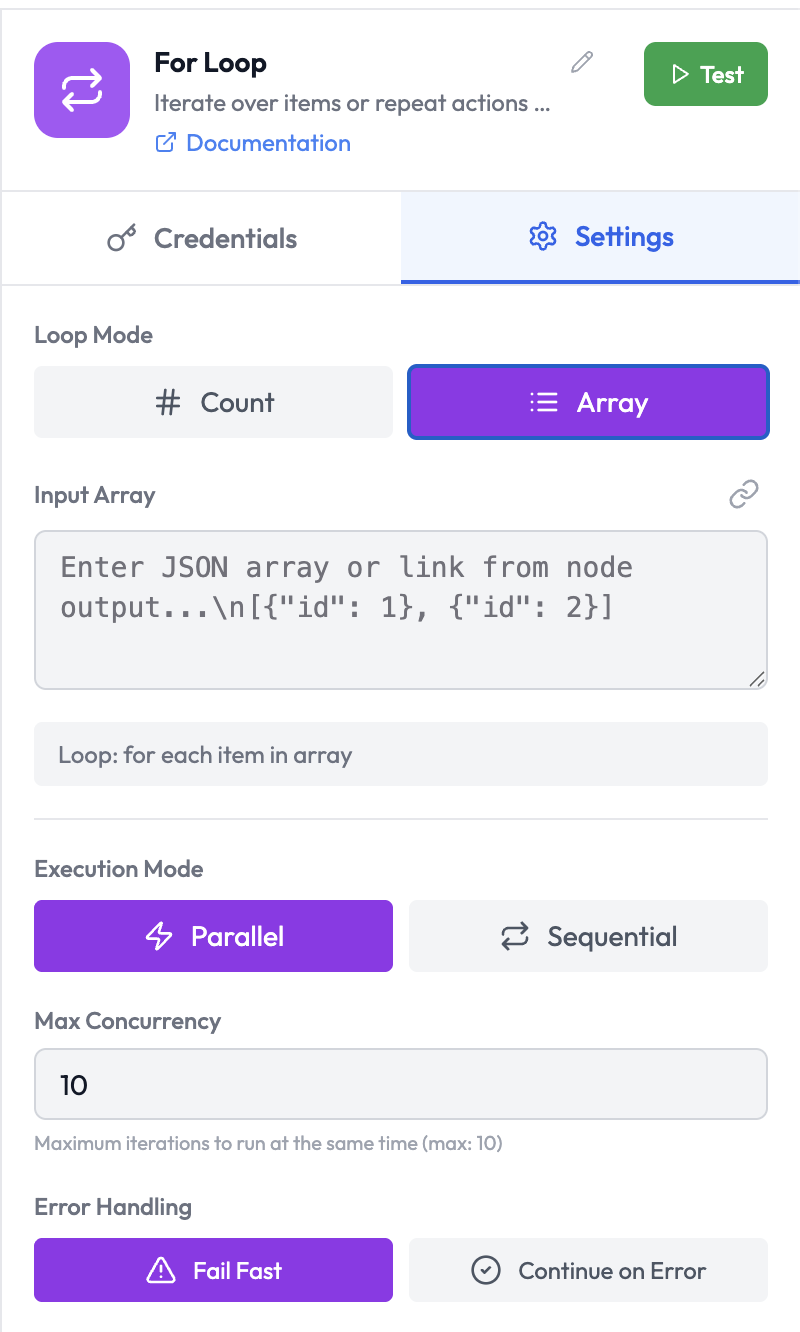
The For Loop node iterates over a collection of items or repeats a sub-graph N times. Nodes placed inside the loop body execute once per item or iteration. For Loop Node
Use Cases

  • Process each record from an Airtable query individually
  • Send a personalized Slack message to each user in a list
  • Call an AI Agent once for each item in an array
  • Retry an operation a fixed number of times

Node Reference

Parameters

ParameterTypeRequiredDescription
Loop ModeSelectYesHow to iterate: Count or Array (see below)
Iteration CountNumberConditionalNumber of iterations (required when Mode is Count)
Input ArrayExpressionConditionalThe array to iterate over (required when Mode is Array)
Execution ModeSelectNoSequential or Parallel — how iterations are executed
Max ConcurrencyNumberNoMax parallel iterations when using Parallel mode (max: 10)
Error HandlingToggleNoFail Fast — stop on first error; Continue on Error — log and continue

Loop Modes

ModeDescription
CountRun the loop body a fixed number of times. Current iteration index ({{ $index }}) is available.
ArrayRun the loop body once for each element in an array. Current item ({{ $item }}) is available.

Execution Modes

ModeDescription
SequentialIterations execute one at a time, in order. Each iteration waits for the previous to complete.
ParallelIterations execute concurrently up to Max Concurrency. Faster, but order of completion is not guaranteed.

Error Handling

OptionDescription
Fail FastHalt the loop immediately on the first error and fail the orchestration run
Continue on ErrorLog the error and continue processing remaining iterations

Loop Variables

Within the loop body, use these built-in expressions:
VariableDescription
{{ $index }}Current iteration index (0-based)
{{ $item }}Current item value (in Array mode)
{{ $iteration }}Current iteration number (1-based)
{{ $total }}Total number of iterations

Example: Process an Array of Records

Configuration:
Loop Mode: Array
Input Array: {{ airtable.records }}
Execution Mode: Sequential
Inside the loop body, {{ $item.fields.Name }} refers to the current record’s Name field.

Output Data

After the loop completes, the node outputs an array containing the results from each iteration:
[
  { "result": "Processed record recAAA" },
  { "result": "Processed record recBBB" },
  { "result": "Processed record recCCC" }
]

  • Airtable — Retrieve a list of records to iterate over
  • Conditions — Branch within a loop based on per-item values
  • Wait — Add a delay between iterations