
Webhook Trigger

The Webhook trigger starts an orchestration when an HTTP request is received at a unique URL generated for that orchestration. Webhook Trigger Node
Use Cases

  • Receive data from third-party services (GitHub, Stripe, Typeform, etc.)
  • Build custom HTTP endpoints without infrastructure setup
  • Handle form submissions or API integrations

Node Reference

Parameters

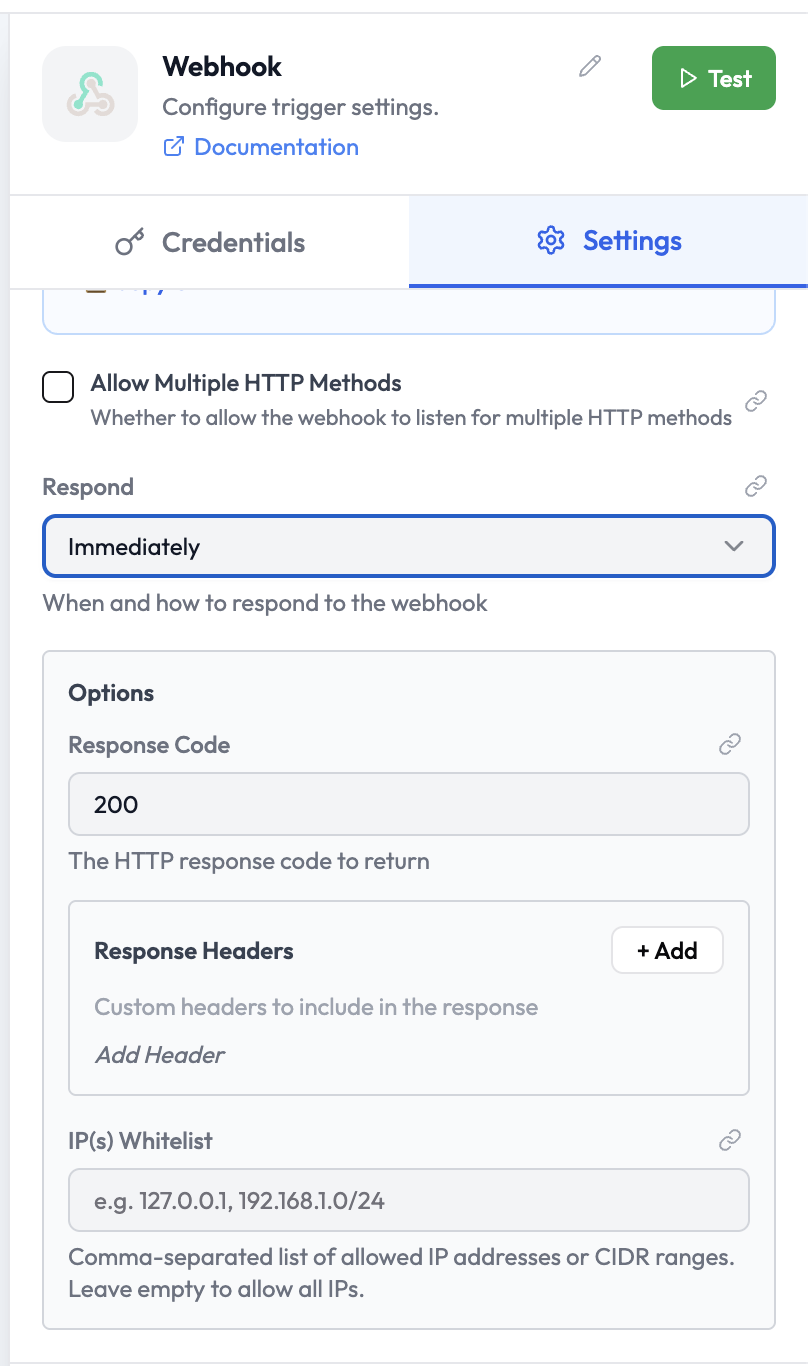
ParameterTypeDescription
Allow Multiple HTTP MethodsBooleanWhen enabled, the webhook accepts requests from more than one HTTP method
RespondSelectWhen and how to respond to the caller (see below)

Respond Options

OptionDescription
ImmediatelyResponds as soon as the request is received, before the orchestration finishes
When Last Node FinishesWaits for the full orchestration to complete, then responds with the last node’s output
Using Respond to Webhook NodeDefers the response to an explicit Respond to Webhook node placed later in the orchestration

Options

OptionDescription
Response CodeThe HTTP status code to return (default: 200)
Response HeadersCustom headers to include in the response
IP(s) WhitelistComma-separated list of allowed IP addresses or CIDR ranges. Leave empty to allow all.

Webhook URL

Each orchestration gets a unique webhook URL shown inside the node. Copy it using the Copy URL link.
The production URL is only active when the orchestration is Activated. A separate test URL is available while editing.

Output Data

The Webhook trigger outputs an object with the full HTTP request details:
{
  "headers": {
    "content-type": "application/json",
    "authorization": "Bearer ..."
  },
  "params": {},
  "query": {
    "source": "stripe"
  },
  "body": {
    "event": "payment.completed",
    "amount": 4999
  },
  "webhookUrl": "https://...",
  "executionMode": "production"
}
Reference fields in downstream nodes:
{{ webhook.body.event }}
{{ webhook.query.source }}
{{ webhook.headers.authorization }}