

SubVerse Agents
The SubVerse Agents node executes a SubVerse AI agent on a specific communication channel — voice, WhatsApp, email, or chat. It initiates an agent conversation and can optionally wait for the conversation to complete before passing results downstream.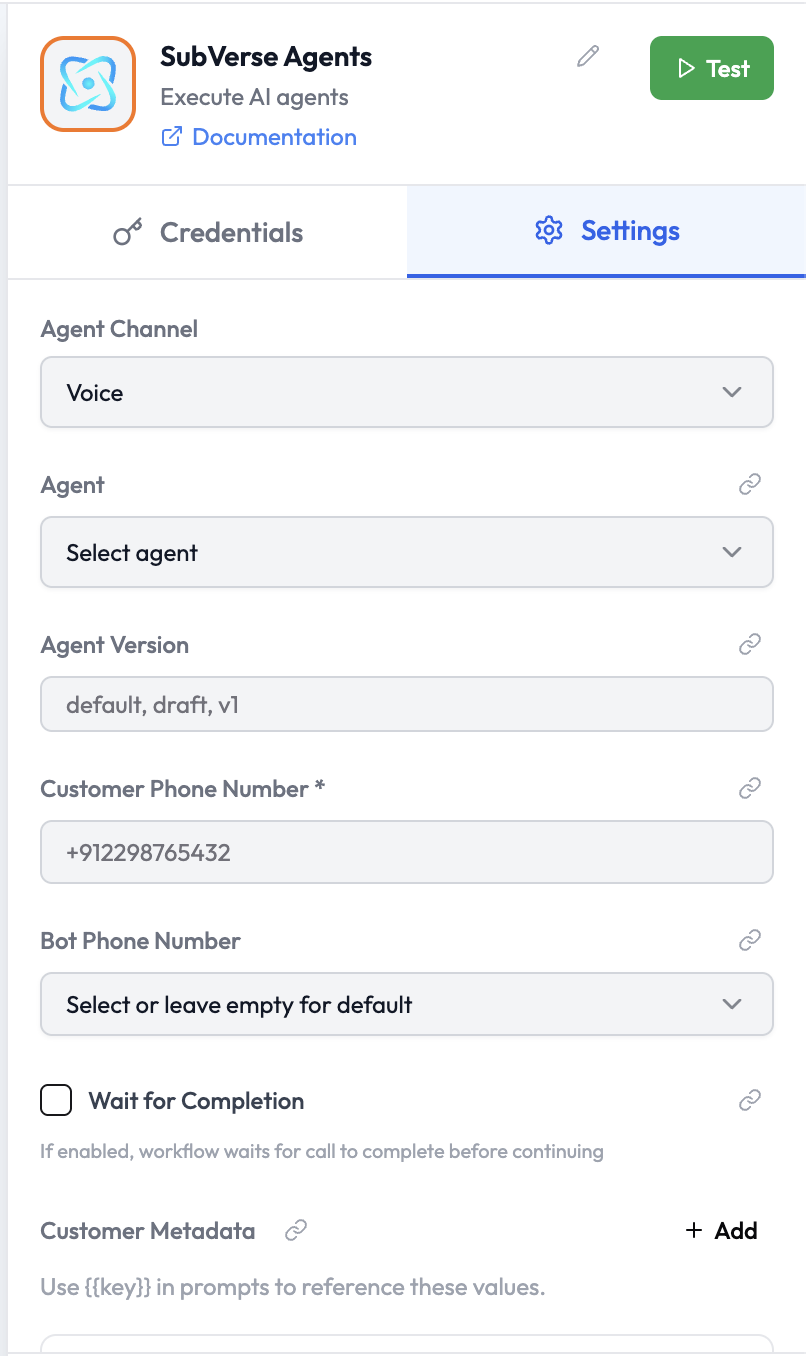
Use Cases
- Initiate an outbound voice call handled by a SubVerse AI agent
- Send a WhatsApp message and have an AI agent conduct the conversation
- Launch an AI agent over email to gather information from a contact
- Embed an AI chat session in an orchestration and use the outcome downstream
Node Reference
Parameters
Channel-Specific Parameters
Voice
WhatsApp Options
Template Variables fill the placeholders in a WhatsApp template body (e.g.
{{1}}, {{customer_name}}). They are independent from Customer Metadata — metadata is passed into the agent session for prompt substitution, while template variables are sent directly to the WhatsApp template. Only template variables are used for template substitution; metadata is never sent as template variables.Chat
Customer Metadata
Provide custom key-value pairs that the agent can reference during the conversation using{{key}} in prompts:
Wait for Completion
When Wait for Completion is enabled:- The orchestration run pauses while the SubVerse AI agent handles the conversation.
- Once the agent marks the conversation as complete, execution resumes.
- The full conversation outcome (transcript, status, extracted data) is available downstream.
- The node starts the agent conversation and immediately moves to the next node.
- The conversation happens asynchronously — the SubVerse AI Trigger can be used to react to the completion in a separate orchestration when it finishes.
Output Data
When the agent conversation completes:Related Nodes
- SubVerse AI Trigger — React to a completed SubVerse AI call in a separate orchestration
- Conditions — Branch based on the agent’s outcome or extracted intent