Freshdesk

The Freshdesk node lets you manage support tickets in Freshdesk from within an orchestration — create, retrieve, update, delete, and add notes to tickets. Freshdesk Node

Credentials

This node requires a Freshdesk API credential with your Freshdesk domain and API key. To create a credential:
  1. Go to Settings → Credentials → New Credential
  2. Select Freshdesk API
  3. Enter your API Key and Domain
See Freshdesk API Credentials for detailed setup instructions.

Operations

Ticket

OperationDescription
CreateCreate a new support ticket
GetRetrieve a single ticket by ID
Get ManyList tickets with optional filters and pagination
UpdateUpdate an existing ticket
DeleteDelete a ticket by ID
Add NoteAdd a public reply or private note to a ticket

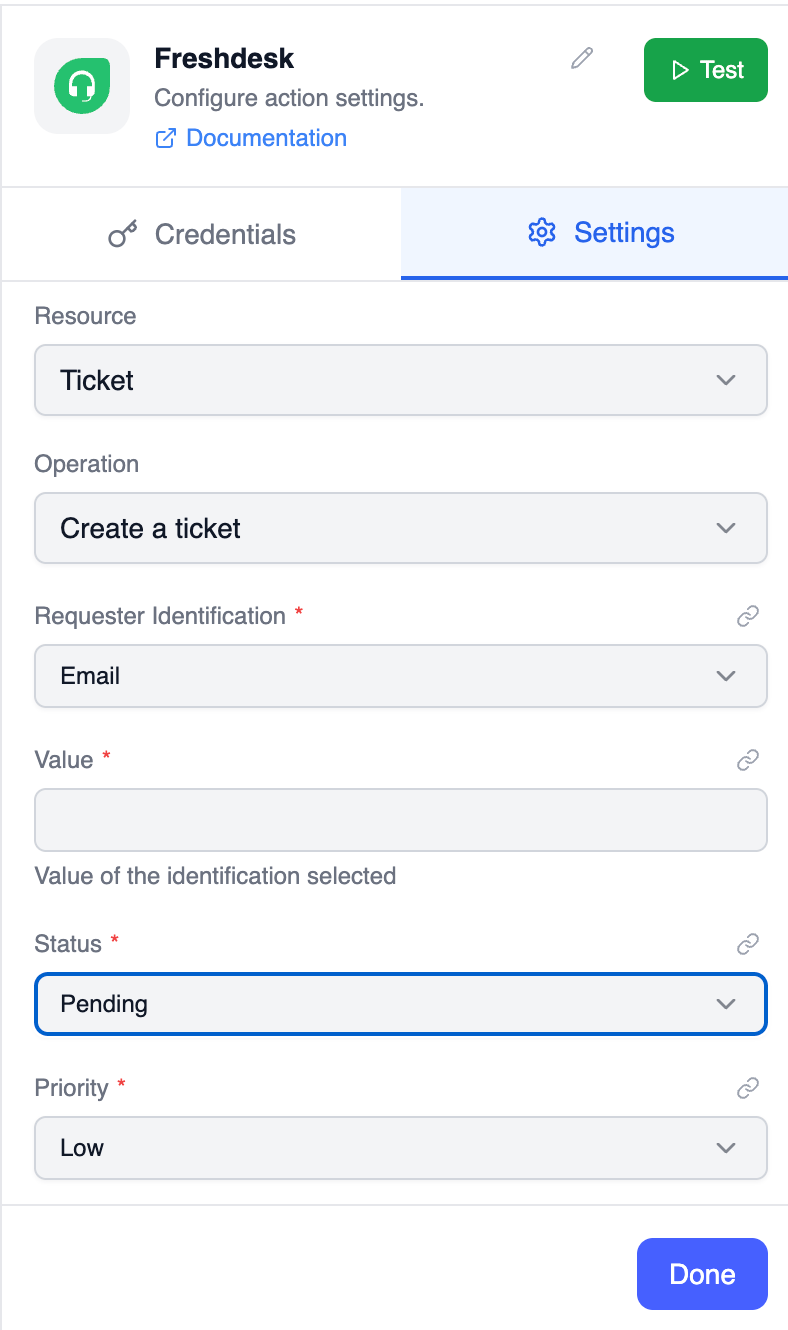
Parameters: Create Ticket

ParameterTypeRequiredDescription
CredentialCredentialYesSelect or create a Freshdesk API credential
Requester IdentificationSelectYesHow to identify the requester: email, facebookId, phone, requesterId, twitterId, or uniqueExternalId
ValueStringYesValue for the selected requester identifier
StatusSelectYesopen, pending, resolved, or closed
PrioritySelectYeslow, medium, high, or urgent
SourceSelectYeschat, email, feedbackWidget, mobileHelp, OutboundEmail, phone, or portal
Agent Name or IDOptionsNoAgent to assign the ticket to
CC EmailsStringNoComma-separated email addresses to CC
Company Name or IDOptionsNoCompany ID of the requester
DescriptionStringNoHTML content of the ticket
Due ByDateTimeNoISO timestamp when the ticket is due to be resolved
Email Config IDNumberNoEmail config ID used for this ticket
FR Due ByDateTimeNoISO timestamp when the first response is due
Group Name or IDOptionsNoGroup to assign the ticket to
NameStringNoName of the requester
Product Name or IDOptionsNoProduct associated with the ticket
SubjectStringNoSubject of the ticket
TagsStringNoComma-separated tags
TypeSelectNoQuestion, Incident, Problem, Feature Request, or Refund

Parameters: Get Ticket

ParameterTypeRequiredDescription
CredentialCredentialYesSelect or create a Freshdesk API credential
Ticket IDStringYesID of the ticket to retrieve

Parameters: Get Many Tickets

ParameterTypeRequiredDescription
CredentialCredentialYesSelect or create a Freshdesk API credential
Return AllBooleanNoFetch all pages of results
LimitNumberNoMaximum number of tickets to return (default 5, max 100)
Company IDStringNoFilter by company ID
IncludeMulti-SelectNoInclude related data: company, description, requester, or stats
OrderSelectNoSort order: asc or desc
Order BySelectNoSort by createdAt, dueBy, or updatedAt
Requester EmailStringNoFilter by requester email address
Requester IDStringNoFilter by requester ID
Updated SinceDateTimeNoFilter tickets updated after this timestamp

Parameters: Update Ticket

ParameterTypeRequiredDescription
CredentialCredentialYesSelect or create a Freshdesk API credential
Ticket IDStringYesID of the ticket to update
Update FieldsCollectionNoFields to update. Supports the same options as Create Ticket

Parameters: Delete Ticket

ParameterTypeRequiredDescription
CredentialCredentialYesSelect or create a Freshdesk API credential
Ticket IDStringYesID of the ticket to delete

Parameters: Add Note

ParameterTypeRequiredDescription
CredentialCredentialYesSelect or create a Freshdesk API credential
Ticket IDStringYesID of the ticket to add the note to
BodyStringYesContent of the note or reply
PrivateBooleanYesIf true, the note is private (internal). If false, it is sent as a public reply
Notify EmailsStringNoComma-separated email addresses to notify
IncomingBooleanNoWhether the note appears as being created from outside the web portal

Output Data

A single ticket returned from Get or Create:
A note returned from Add Note:
Reference fields in downstream nodes:

  • HTTP Request — Call custom Freshdesk API endpoints not covered by this node
  • Send Email — Notify customers or agents about ticket updates